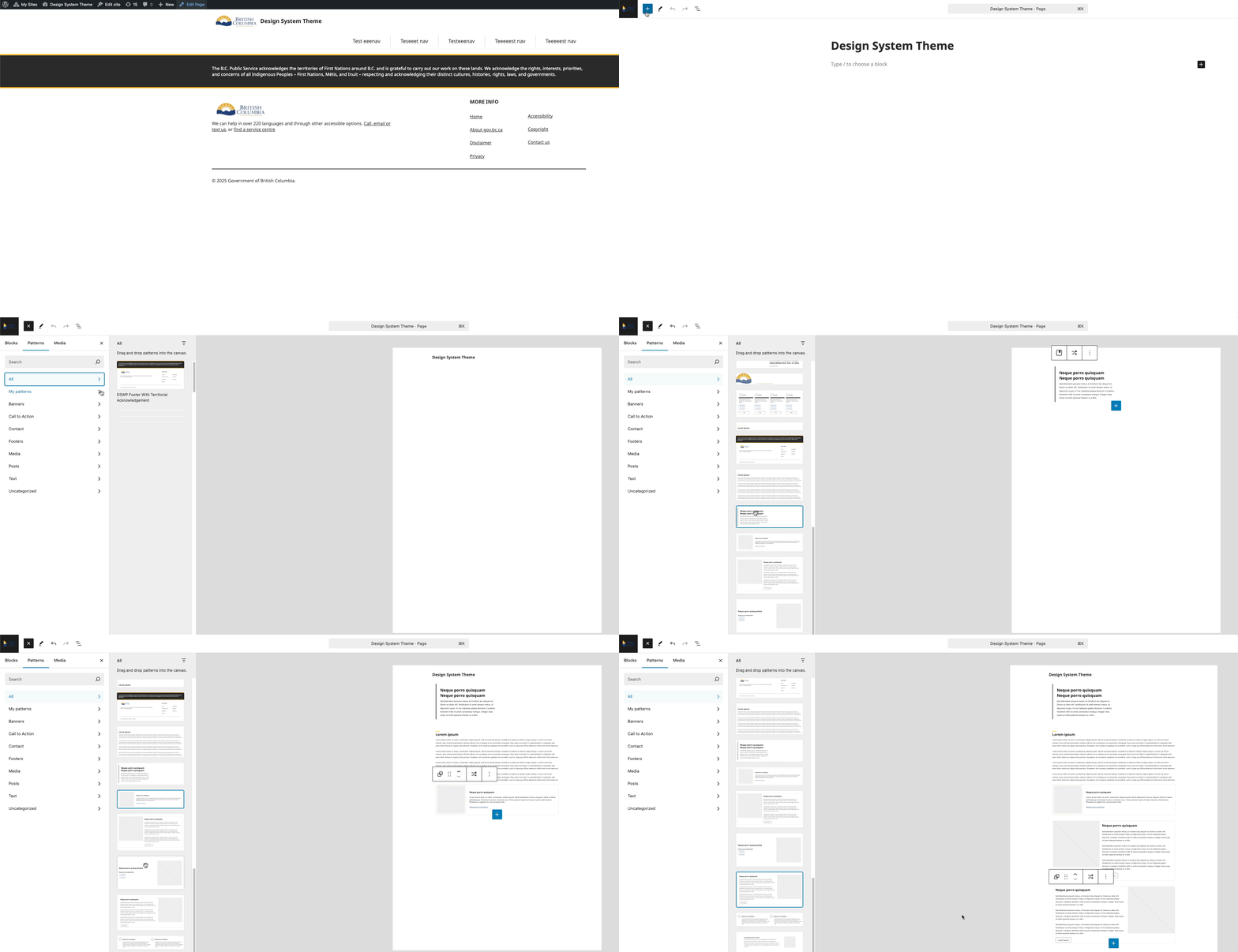
How to Add a Pattern
Overview: This section provides guidance on how to effectively use the design system patterns to build your site.
Steps
- Open your WordPress page editor
- Click the "+" icon in the editor (usually top-left or where you want to add content)
- Select the "Patterns" tab
- Click "All" to see available patterns
- Scroll through the list of patterns
- Click on your desired pattern to add it to the page