DSWP Horizontal Card Large Image - Right
Overview
This pattern creates a full-width horizontal layout with content on the left and a large image on the right. It features a reverse layout from the left-image variant, making it ideal for alternating content sections on a page.
Important Note
Each pattern consists of several blocks. Only adjust the content and color block settings. The structural settings (padding and margins) are pre-configured for responsiveness. Modifying structural settings may break the pattern.
Pattern Components
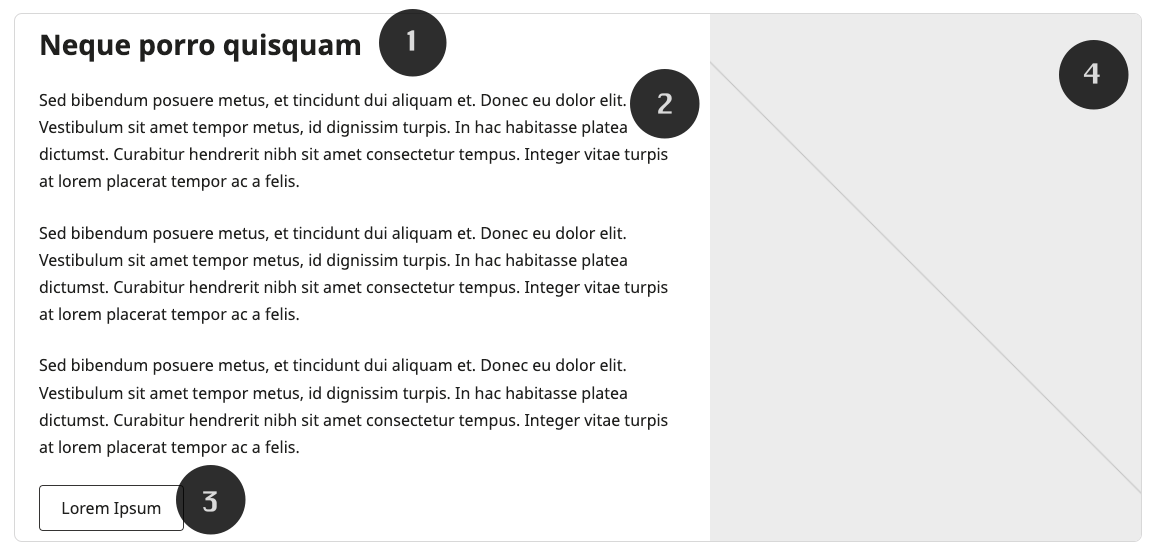
Each section consists of the following blocks:
Content
- H3 heading
- Multiple paragraphs (1.7 line height)
- Outline-style button
Image
- Full-size image
Layout Options
The pattern supports both desktop and mobile layouts: 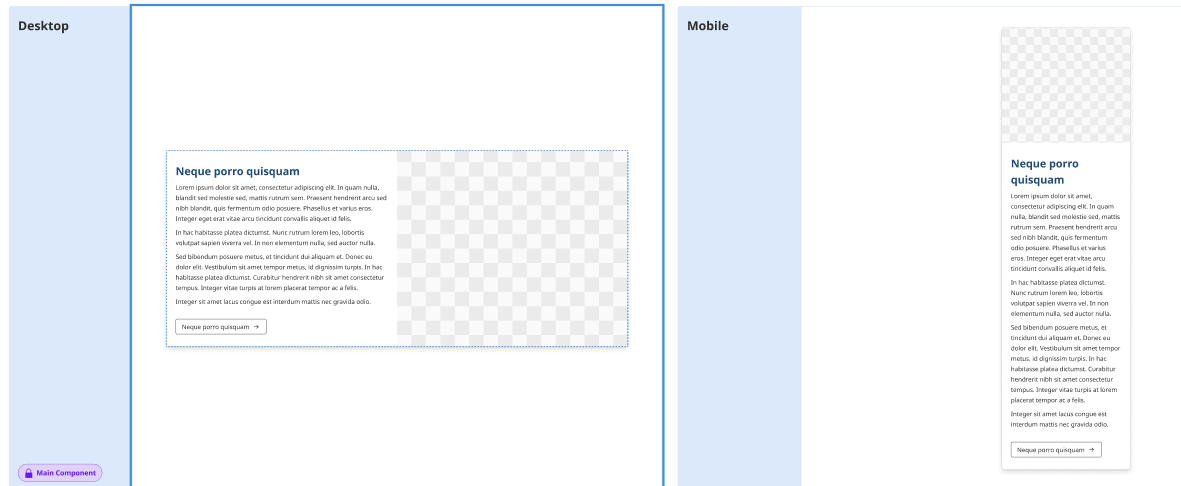
Common Tasks
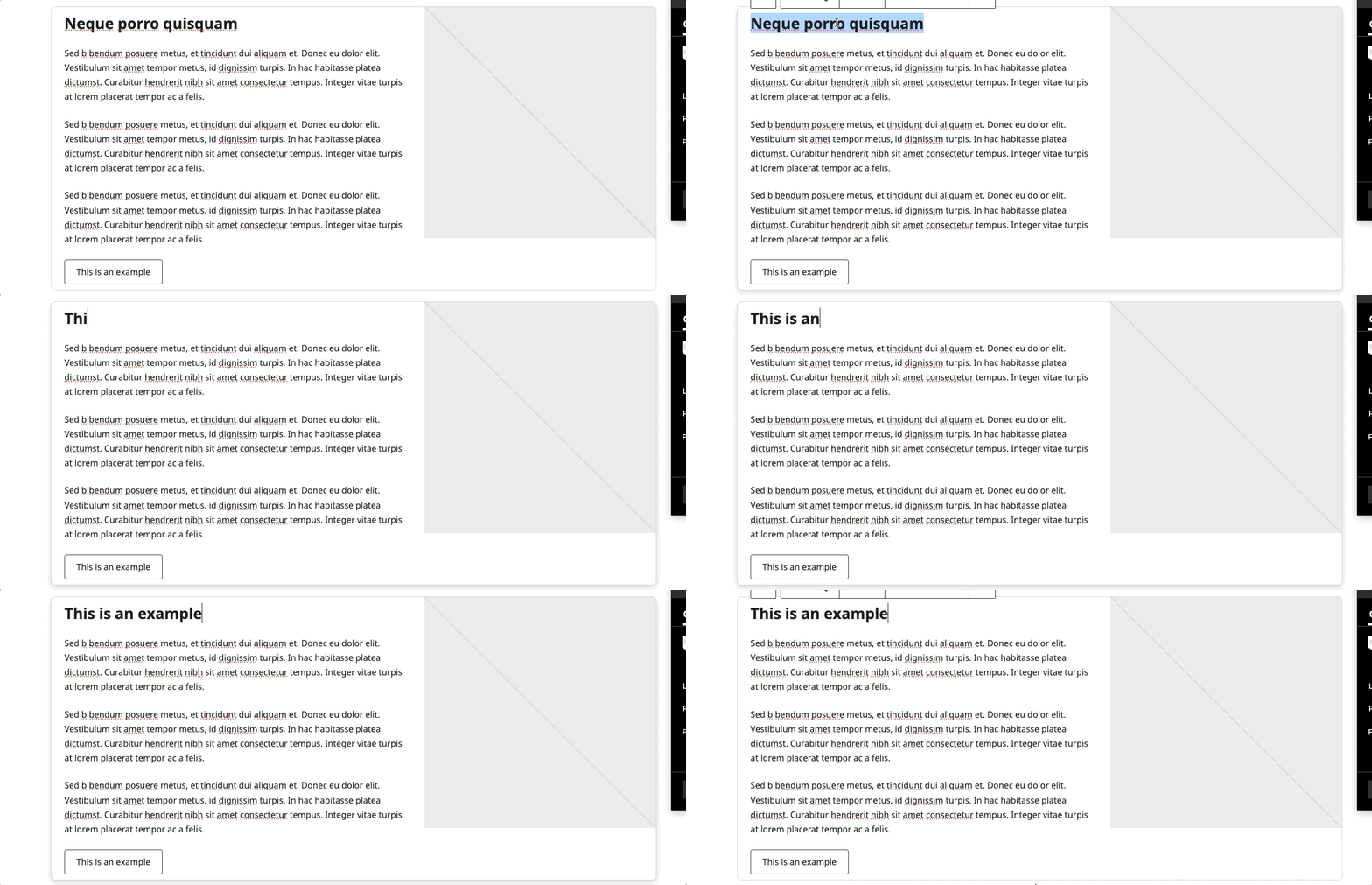
Modifying the Heading
- Click on the heading text
- Type your new heading
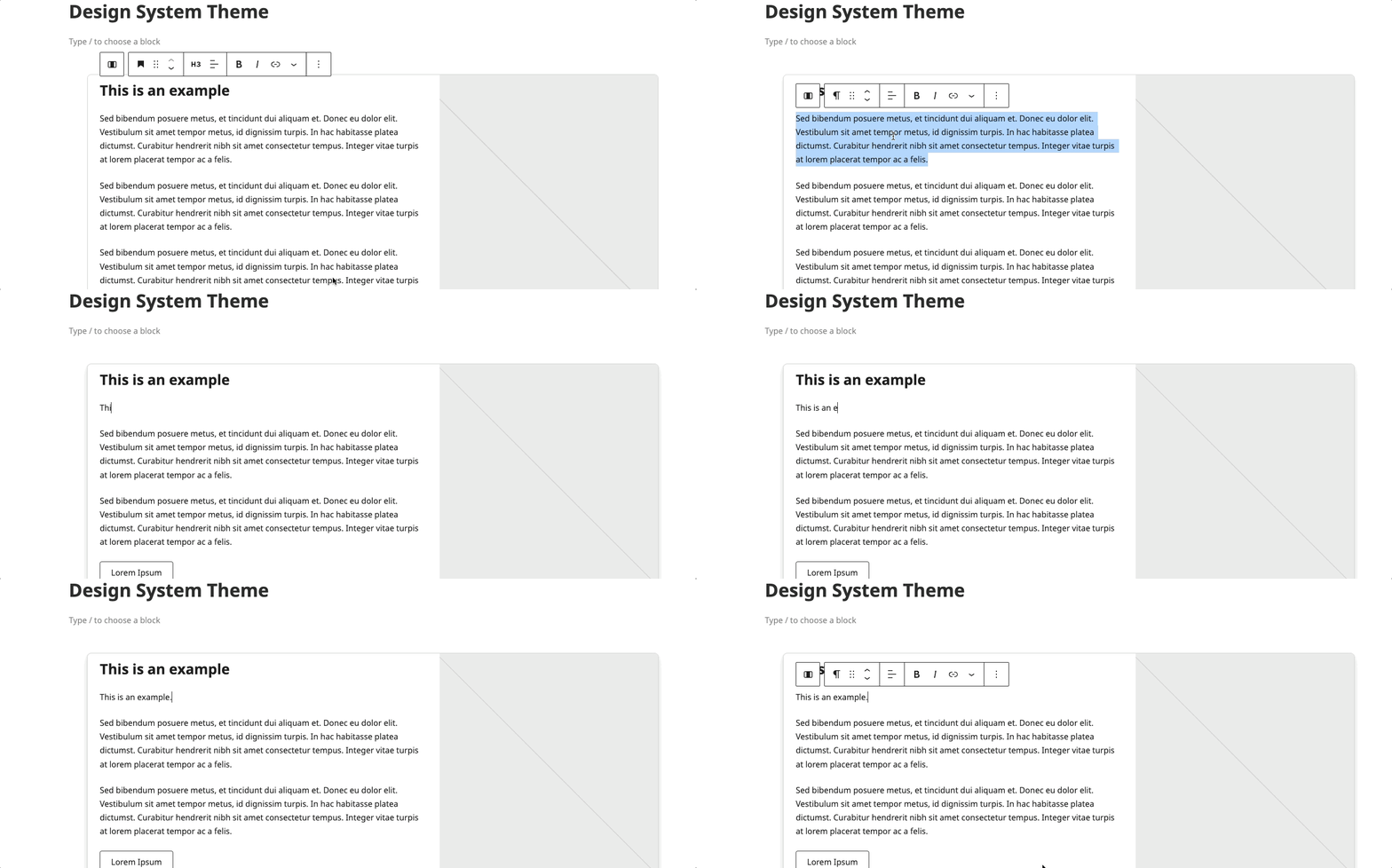
Modifying the Paragraph
- Click to edit paragraph text
- Start Typing new content
Button
- Click to edit button text
- Start Typing new content
- Select the button again
- Select the "Link" icon
- Edit the link for the button
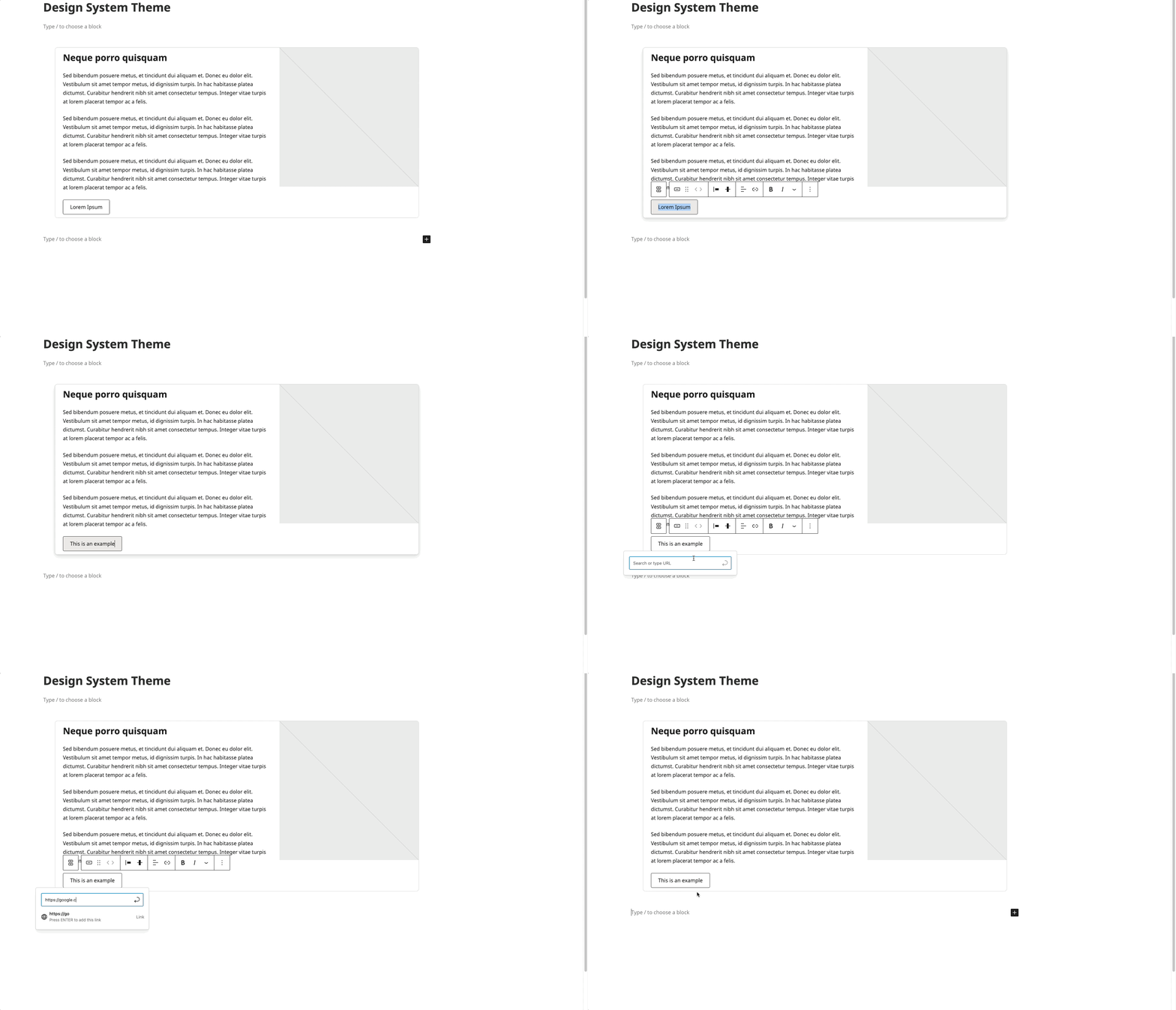
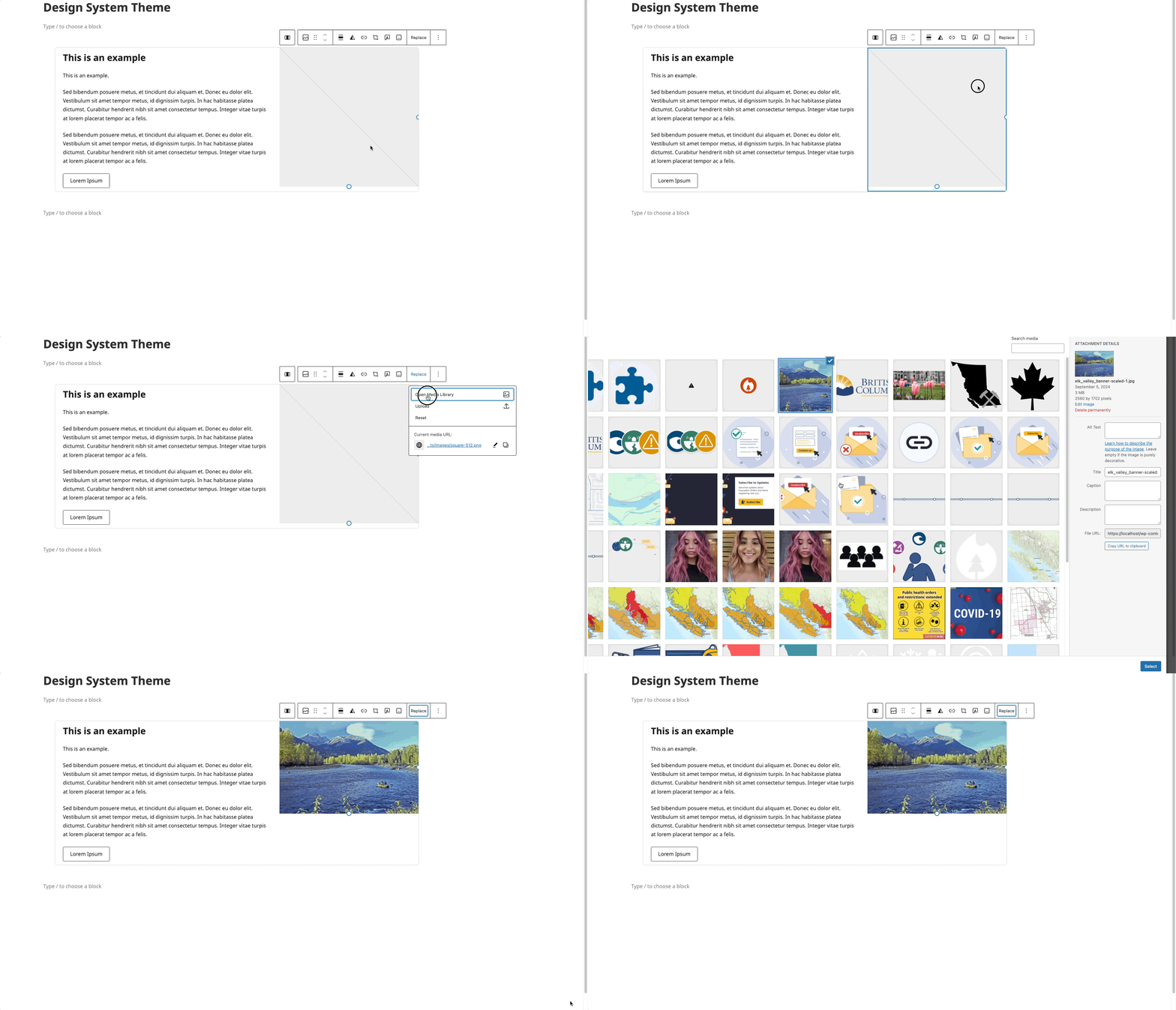
Image Replacement
- Select the image block
- Click "Replace"
- Upload or choose a new image
Block Documentation
For detailed instructions on modifying specific blocks, refer to WordPress's official documentation: