In-Page Navigation
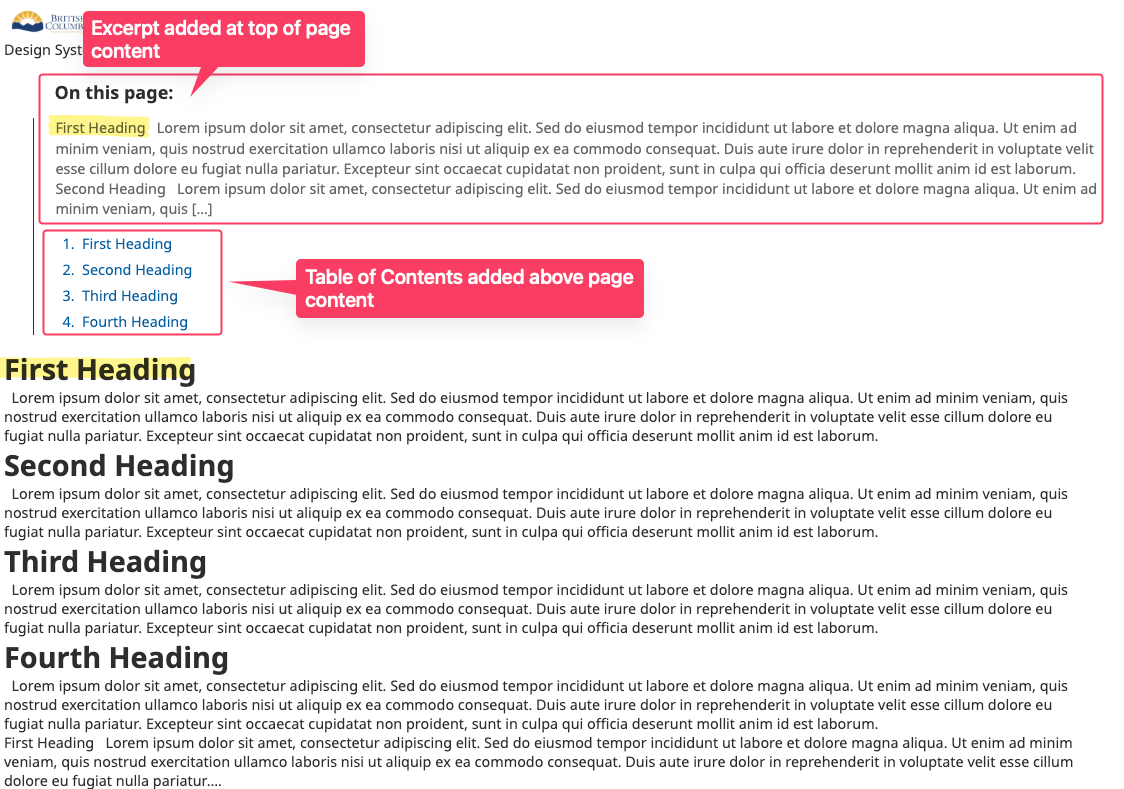
Provides an automatic table of contents for Pages by collecting all H2 headings and presenting numbered jump links.
When it appears
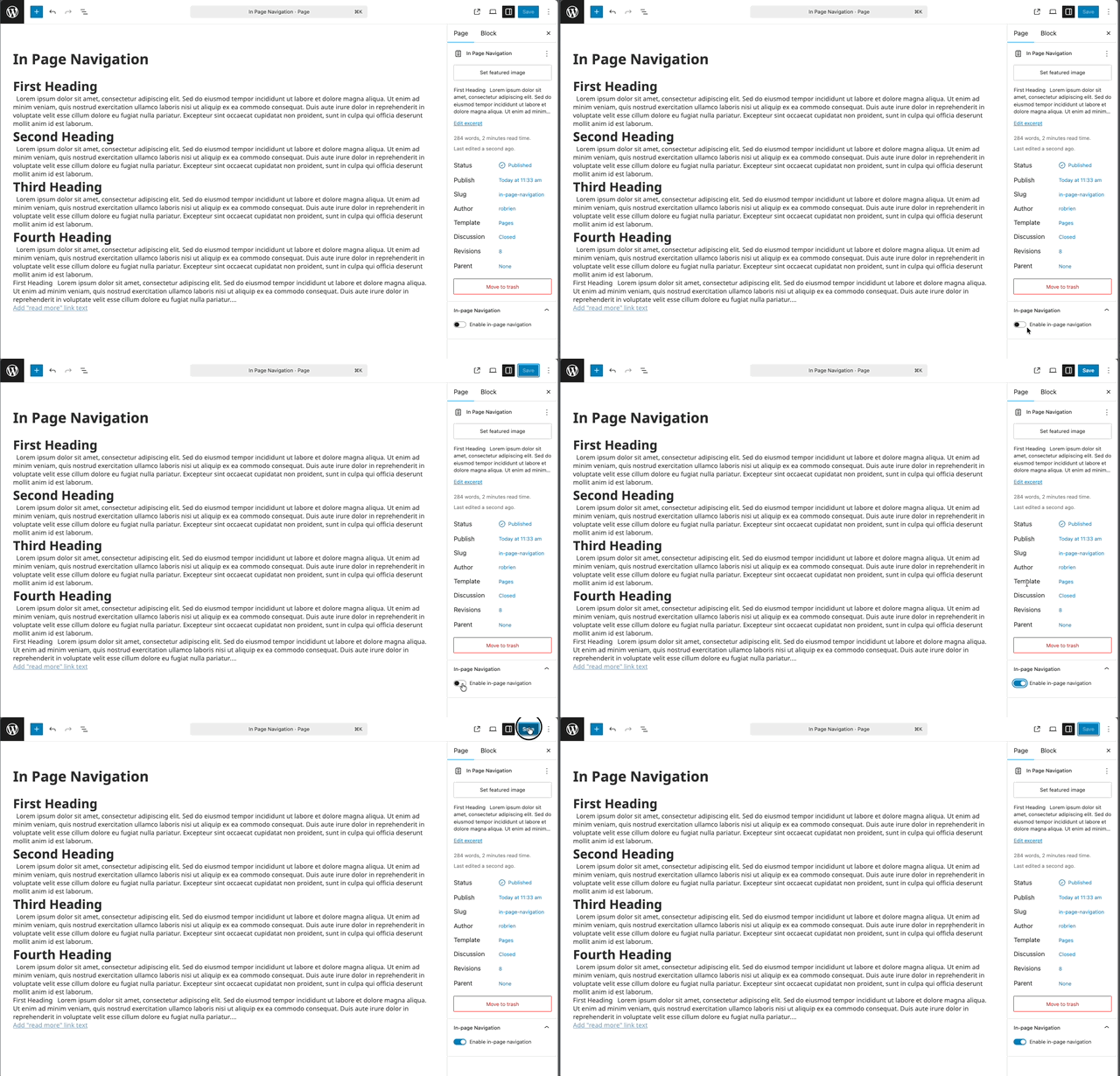
- Only on Page post type.
- Only if at least one H2 exists.
- Enabled per page via a toggle in the editor sidebar.
In-Page Navigation behavior
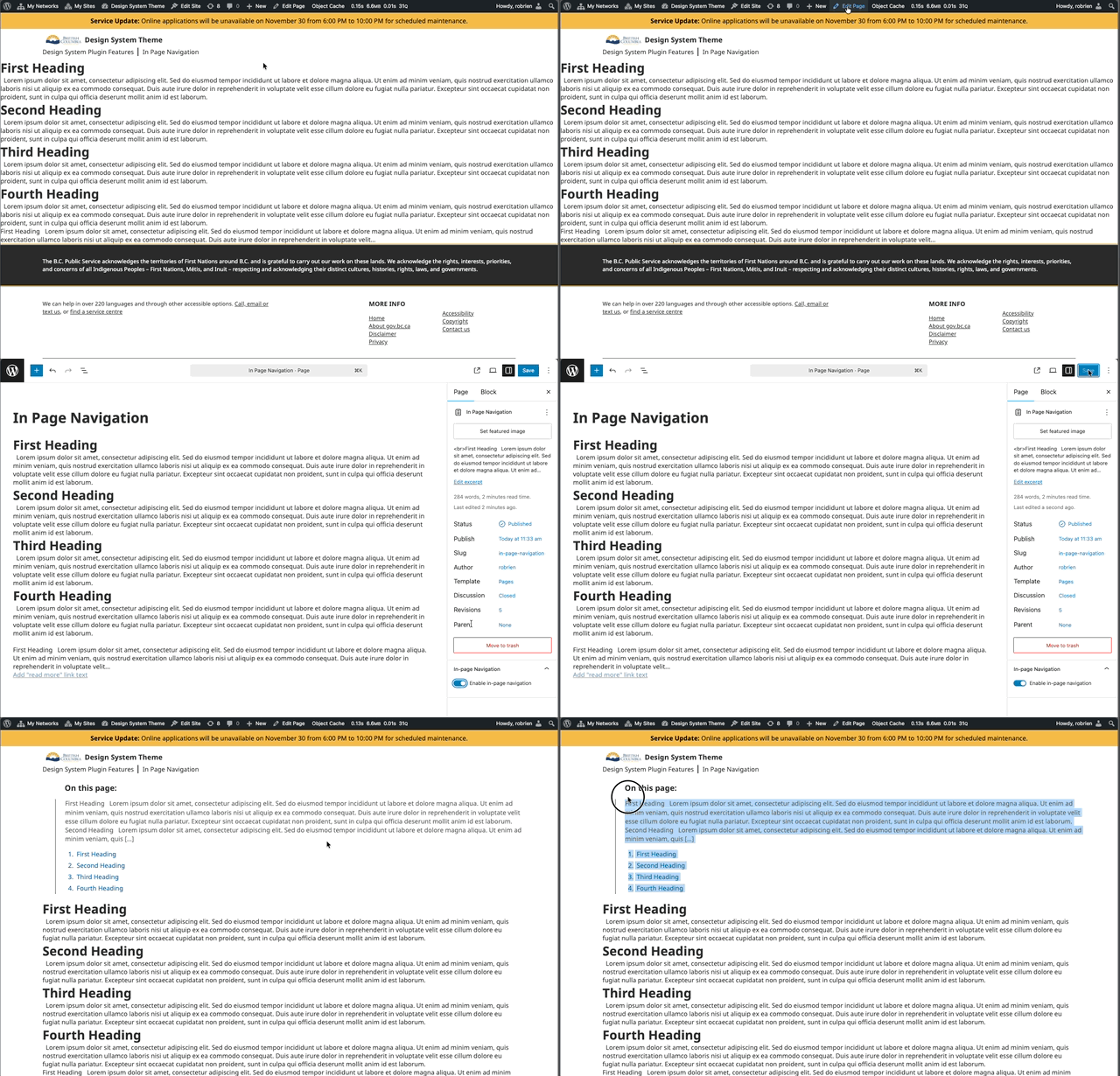
- Renders an aside containing numbered links to each section.
- Shows the optional page excerpt at the top, if set.
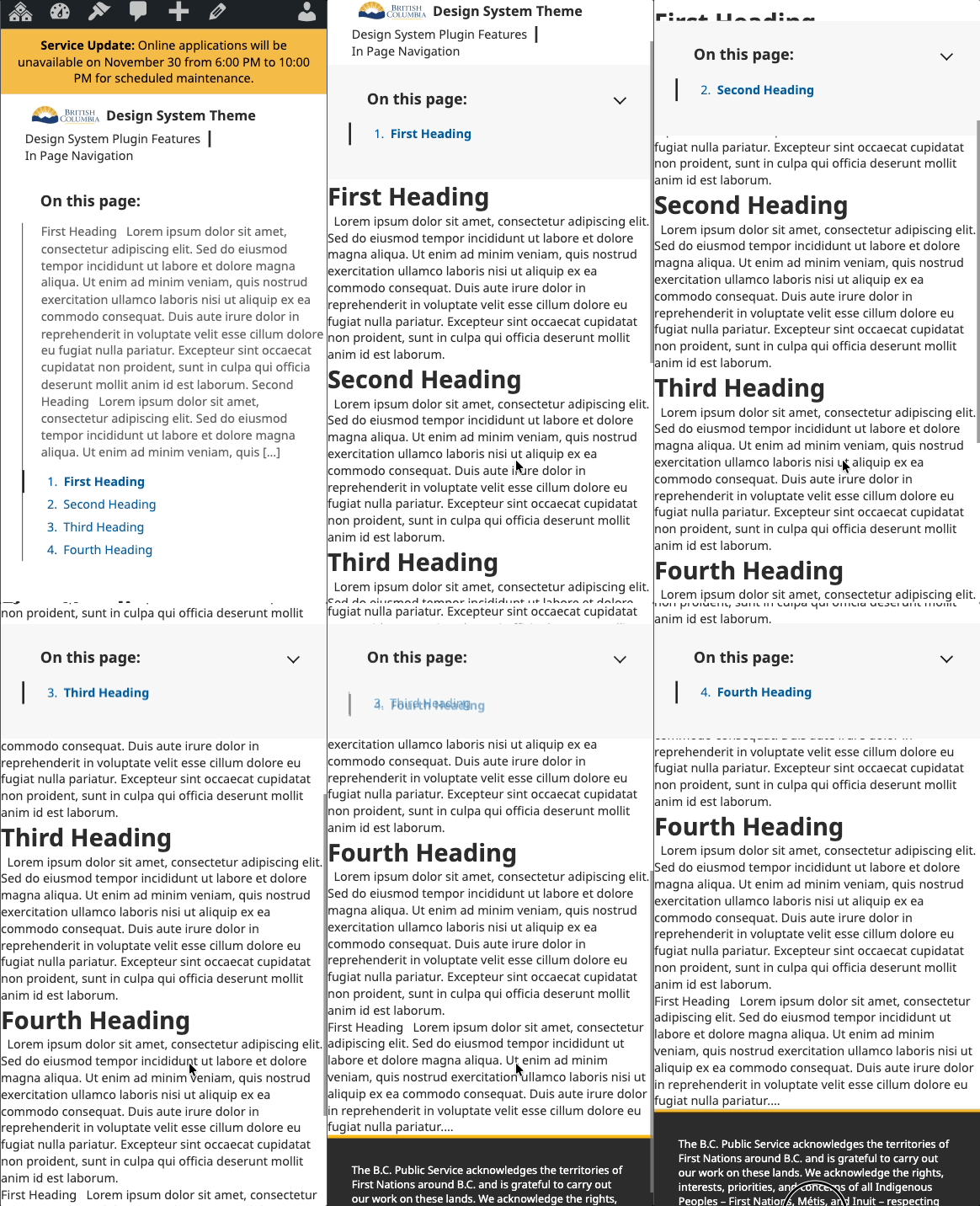
- Highlights the active section while scrolling (mobile emphasis).
- Smooth scroll on link click.
Editor usage
- Edit a Page.
- Open the “In-page Navigation” panel in the document settings.
- Toggle “Enable in-page navigation” on.
- Update the Page.
Responsive behavior
- Desktop (>768px): Expanded list always visible.
- Mobile (≤768px): Sticky bar; toggle button collapses/expands; current section emphasized; background lightens after scroll.
Excerpt
If the Page has an excerpt, it is shown at the top of the navigation for context.