DSWP Hero Image With Title
Overview
This pattern creates a hero section with a background image and an overlaid content box. It's designed to create impactful page headers that combine visual imagery with text content while maintaining accessibility and readability.
Important Note
Each pattern consists of several blocks. Only adjust the content and color block settings. The structural settings (padding and margins) are pre-configured for responsiveness. Modifying structural settings may break the pattern.
Pattern Components
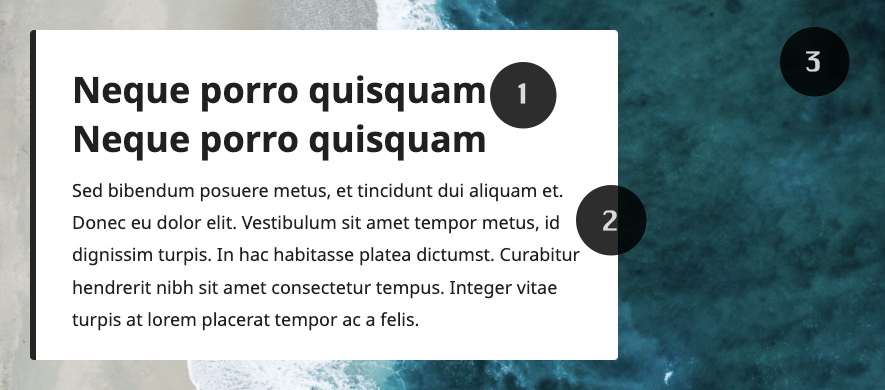
Heading
- Callout-styled heading
Paragraph
- Multiple paragraph blocks
- 1.7 line height for readability
Background image
- Full coverage background image
Common Tasks
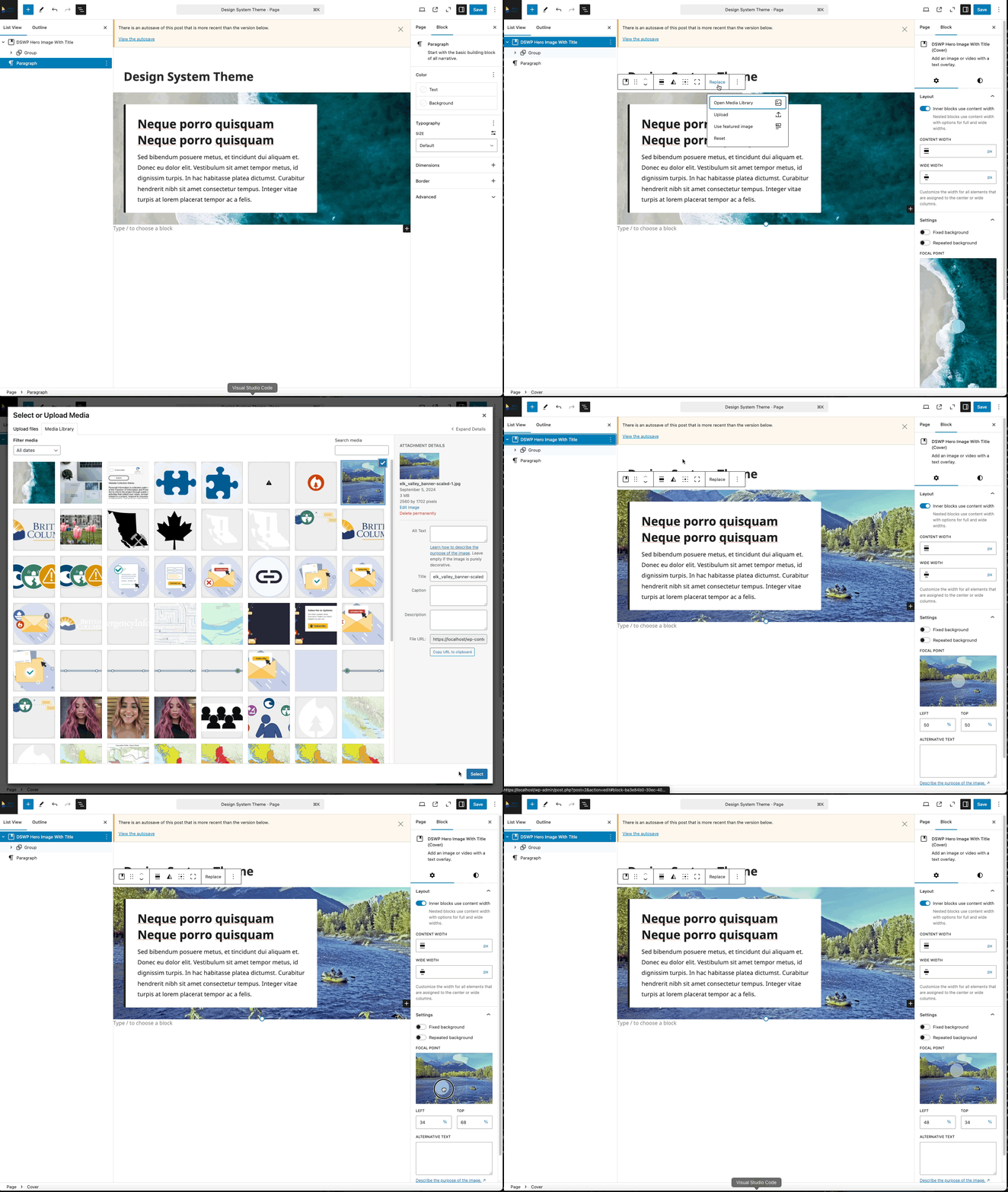
Changing the Background Image
- Select the cover block
- Click "Replace" in the block toolbar
- Upload or select a new image
- Adjust focal point if needed
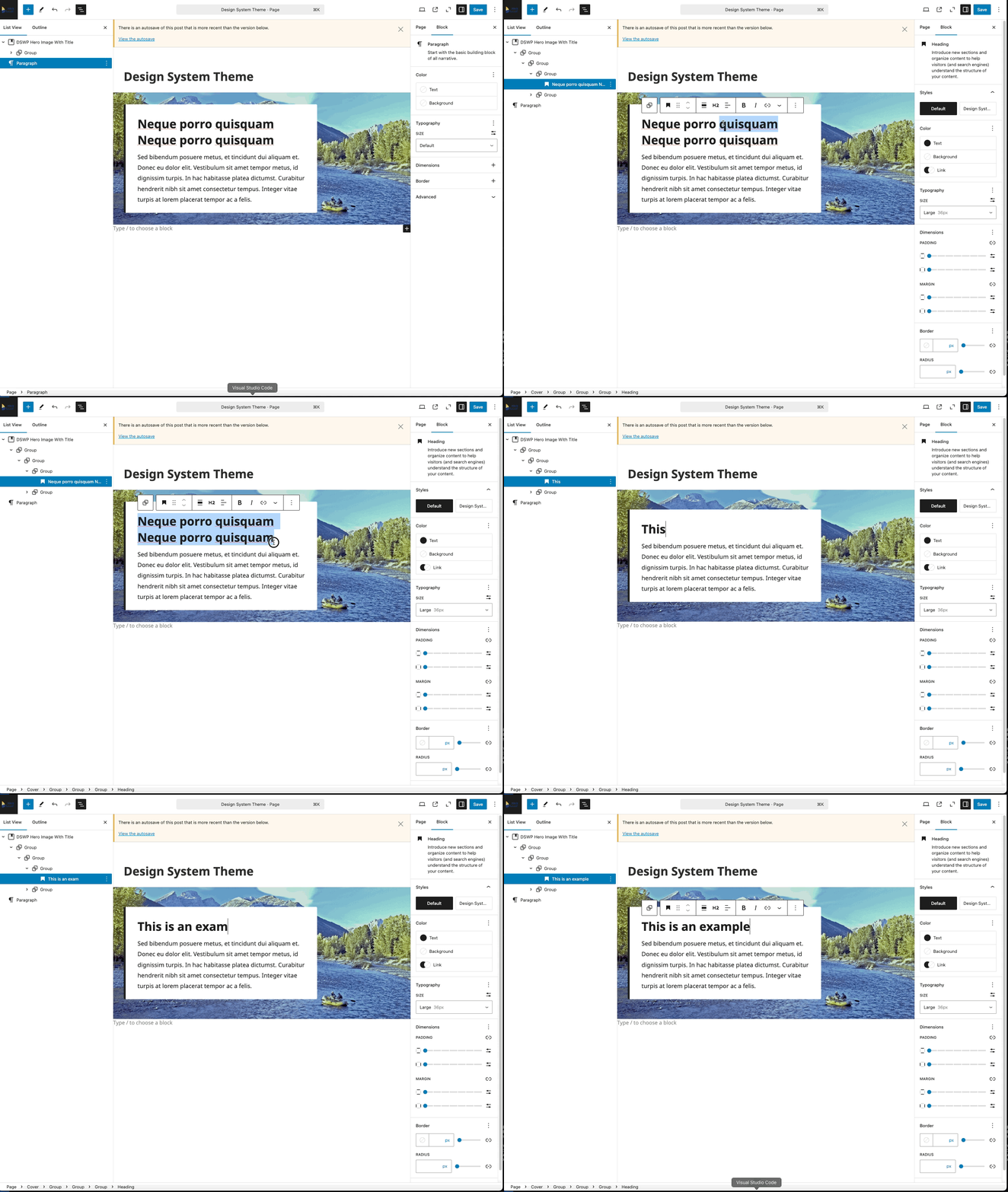
Modifying the Heading
- Click on the heading text
- Type your new heading
- The styling will automatically apply
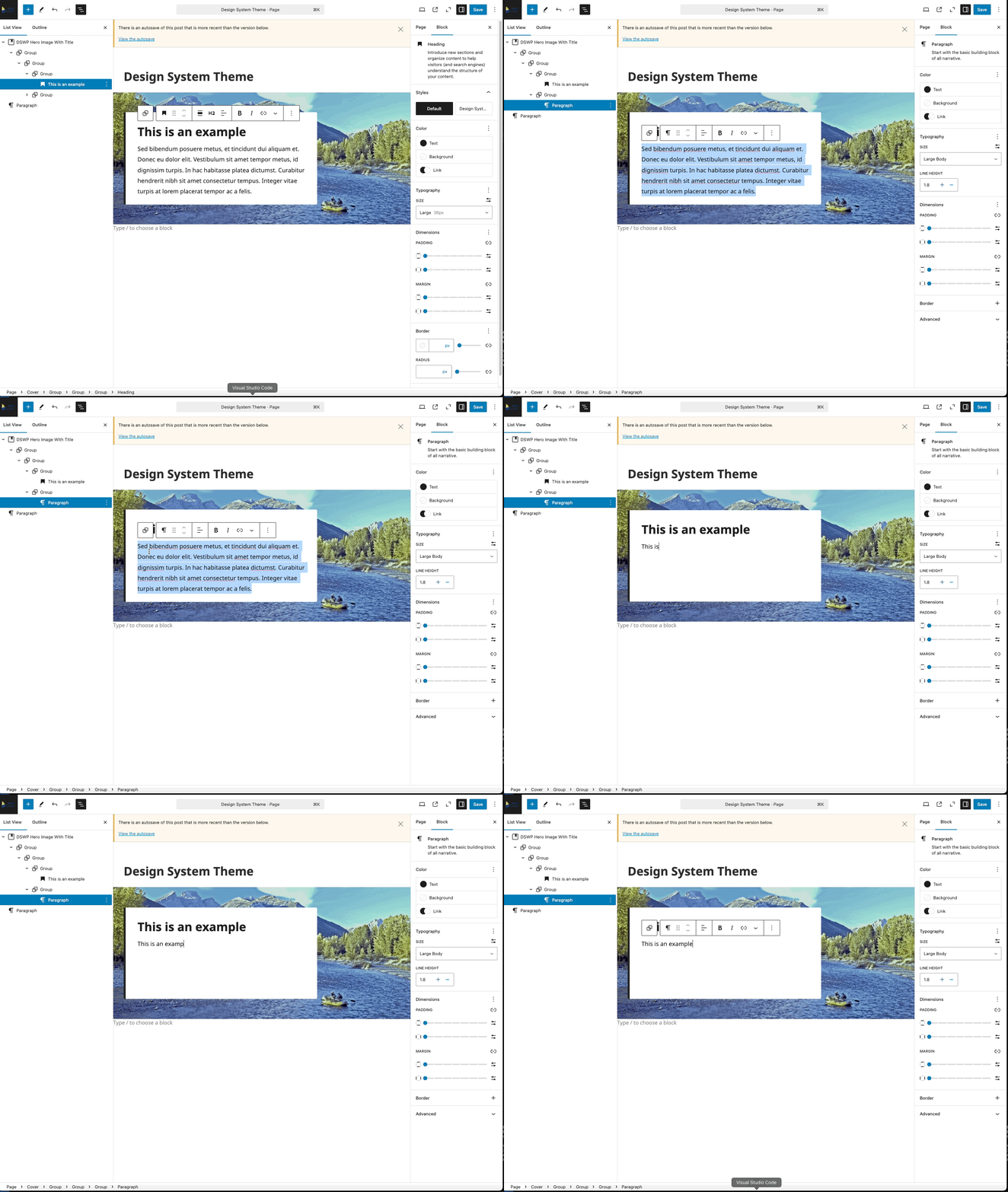
Modifying the Paragraph
- Click to edit paragraph text
- Start Typing new content
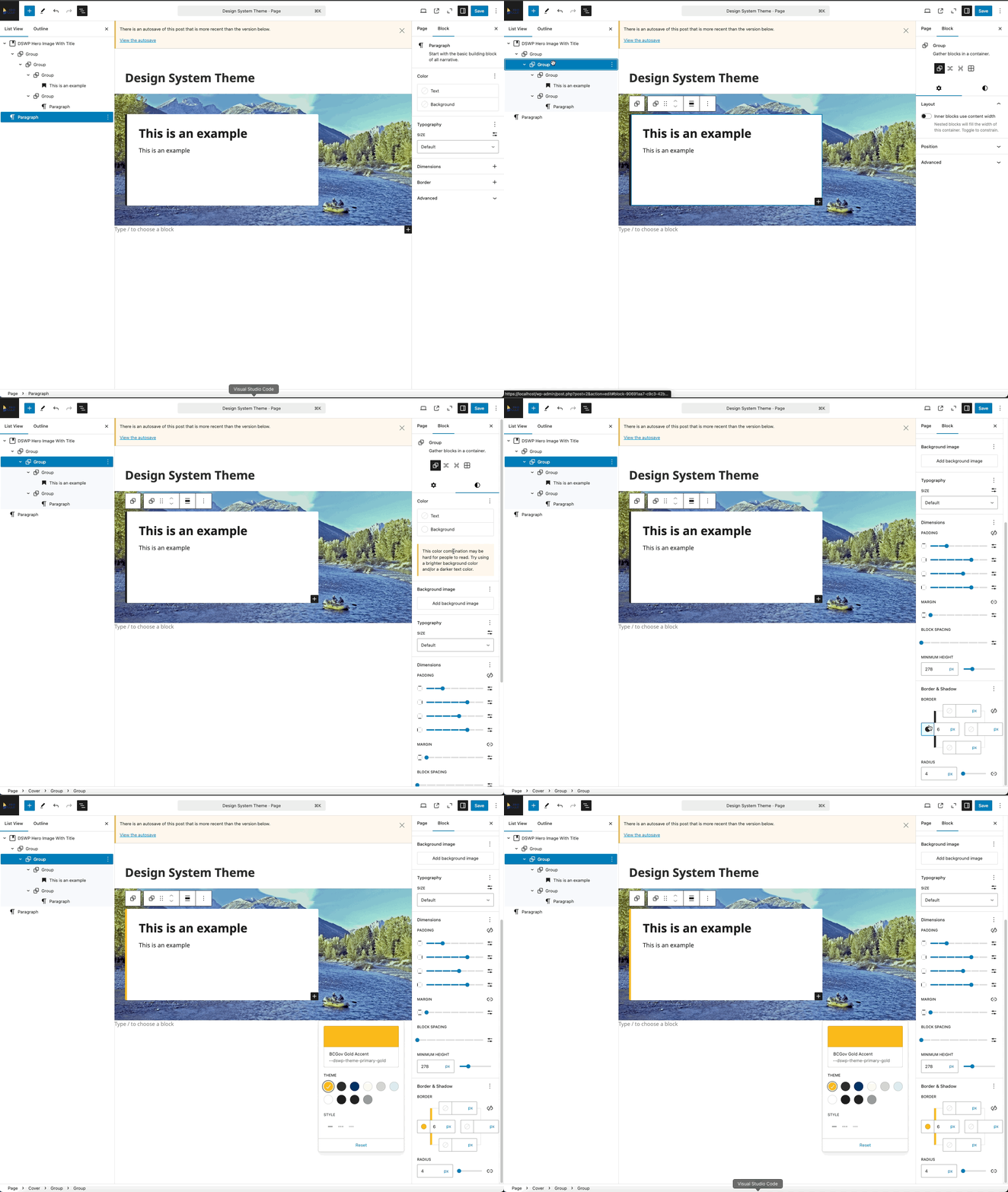
Changing the border left color
- Click the group block (as seen in the gif below)
- Click block styles
- Scroll down to border-left
- Select a new color
Layout Considerations
- The content box automatically aligns left
- Background image remains full-width
- Content maintains readability on any background
- White box provides consistent contrast
Block Documentation
For detailed instructions on modifying specific blocks, refer to WordPress's official documentation: