DSWP Icon with Excerpt
Overview
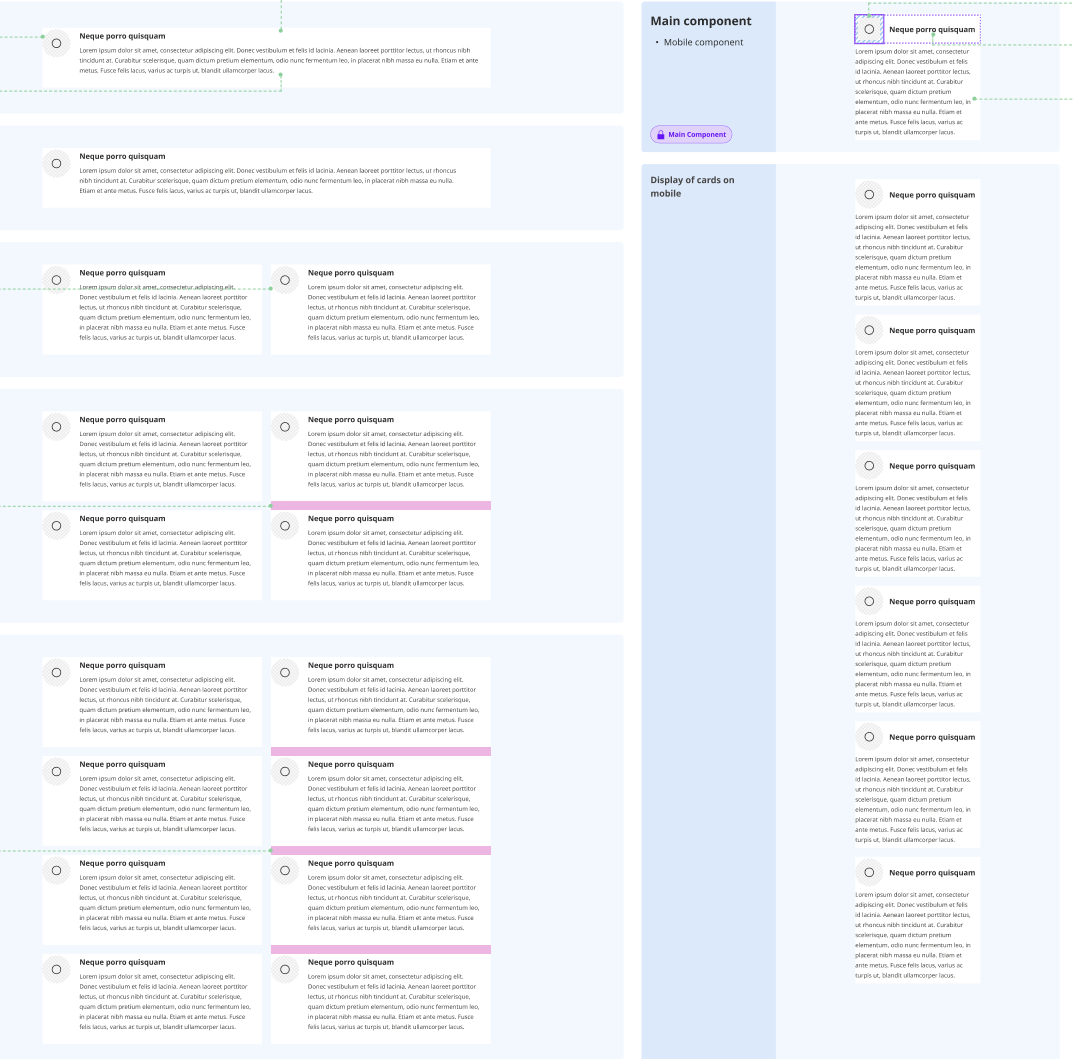
This pattern creates a two-column layout featuring icon-heading combinations with accompanying text excerpts. It's ideal for presenting features, services, or key points in a visually balanced format.
Important Note
Each pattern consists of several blocks. Only adjust the content and color block settings. The structural settings (padding and margins) are pre-configured for responsiveness. Modifying structural settings may break the pattern.
Pattern Components
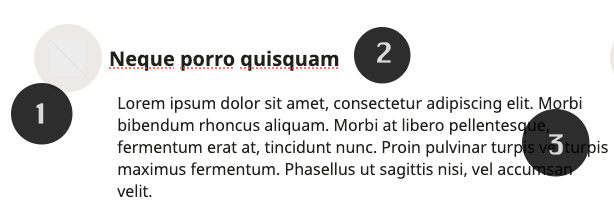
Each column contains:
Icon
- 36px width icon image
- H5 heading
Heading - Main title for the card
Paragraph - Descriptive text
Common Tasks
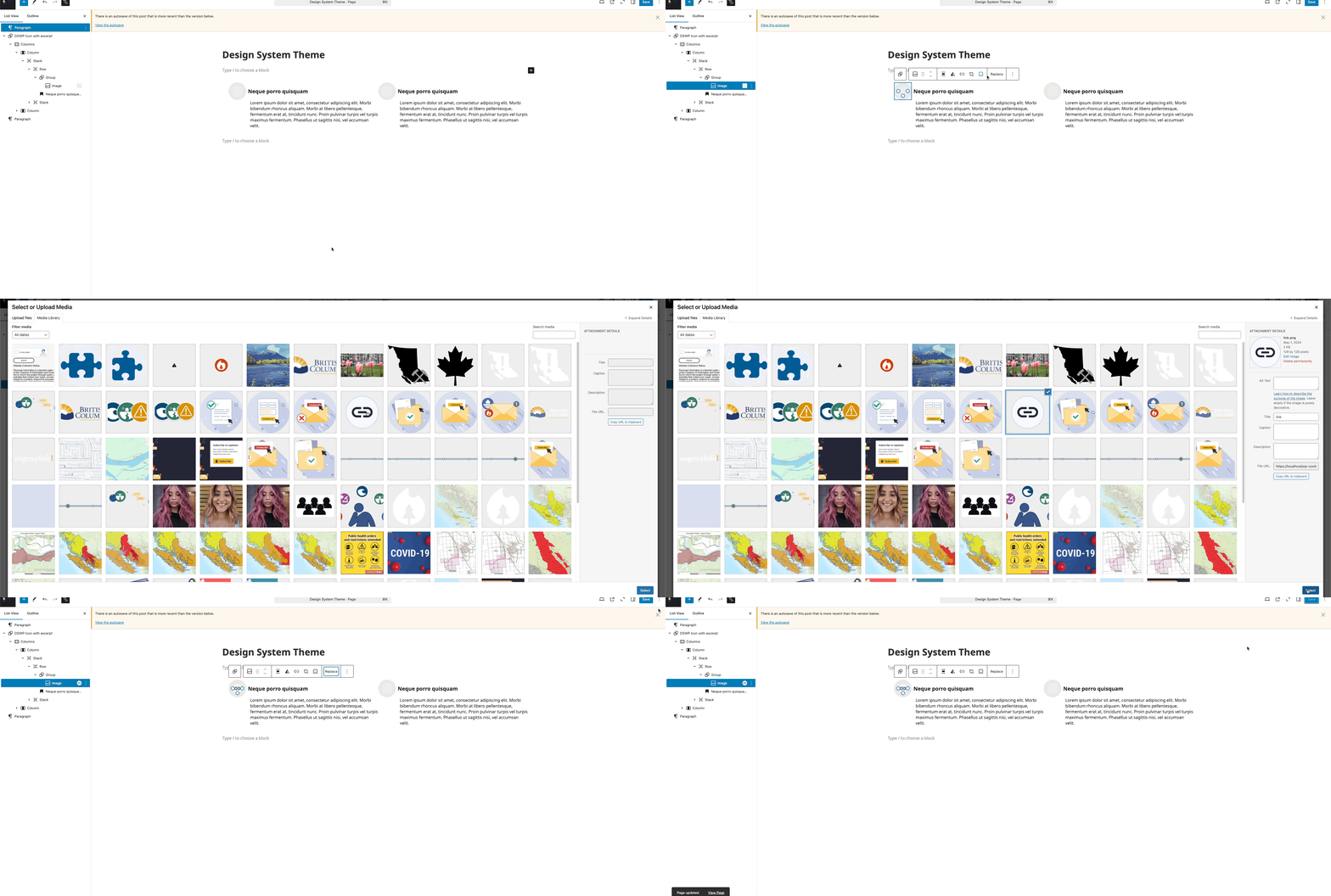
Modifying Icon
- Select the image block
- Click "Replace"
- Upload or choose new icon
- Icon automatically resizes to 36px width
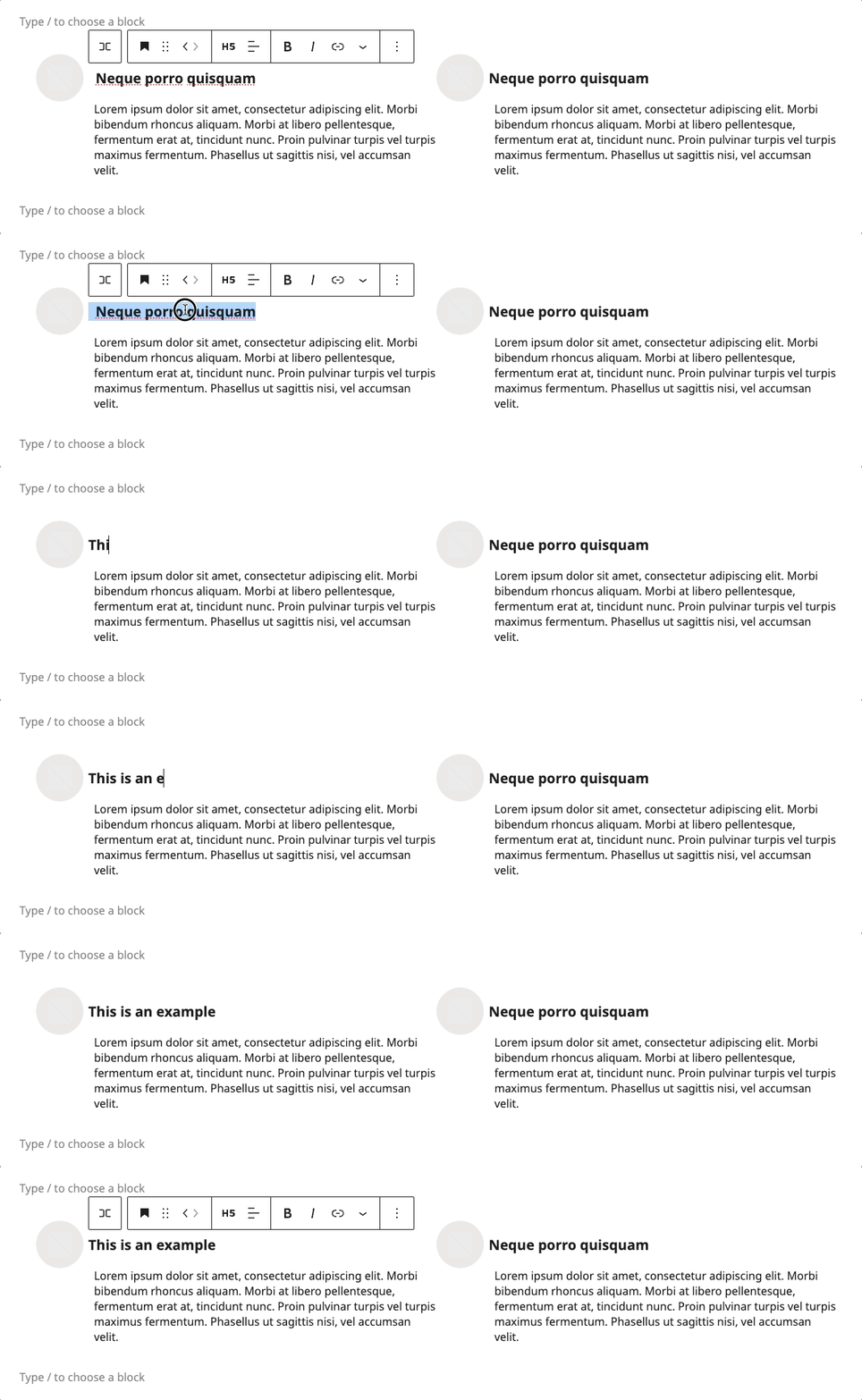
Update Heading:
- Click to edit H5 heading text
- Start Typing new content
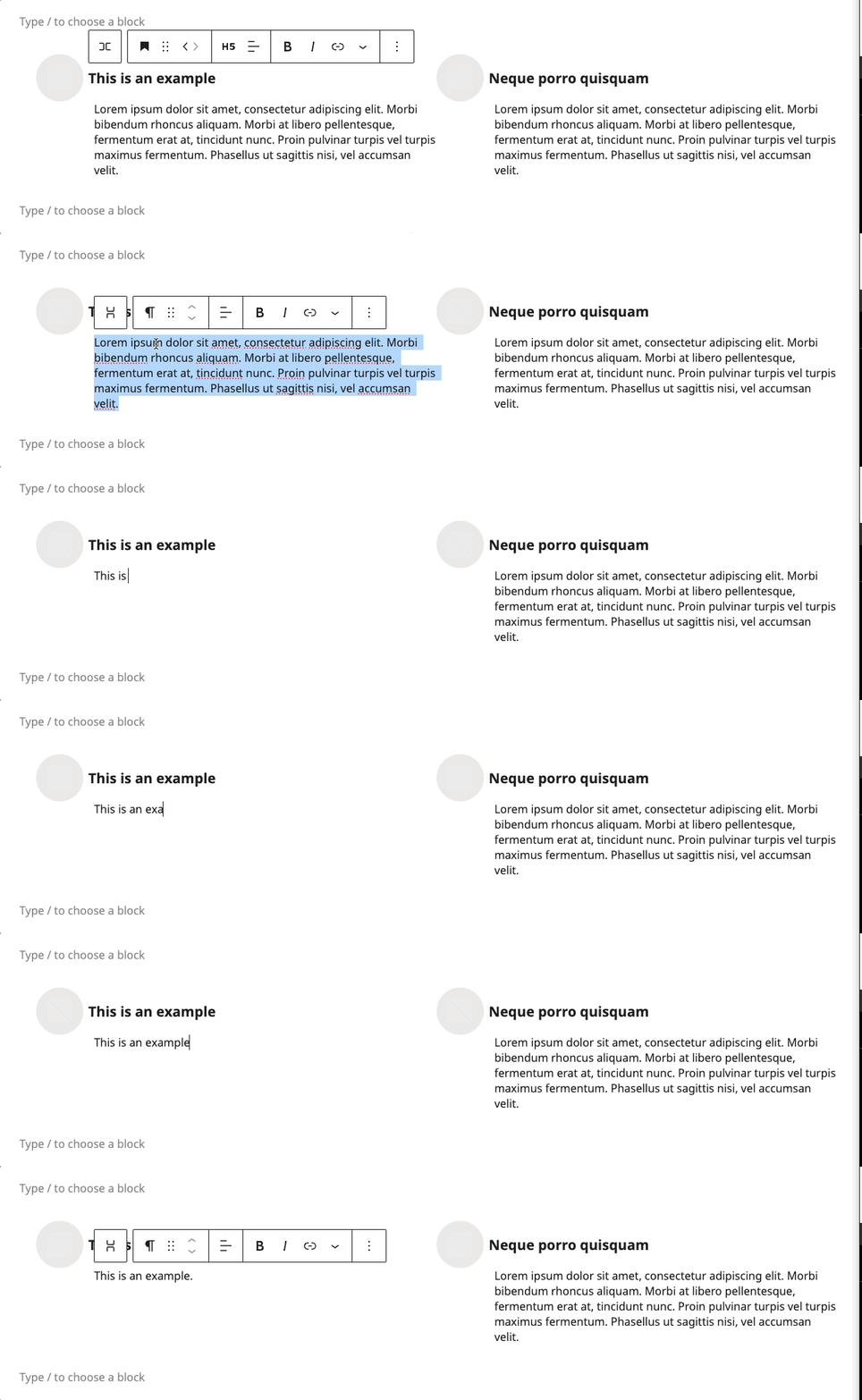
Update Paragraph:
- Click to edit paragraph text
- Start Typing new content
Layout Variations
- Desktop: Two equal columns
- Tablet: Maintains two columns
- Mobile: Stacks vertically
Block Documentation
For detailed instructions on modifying specific blocks, refer to WordPress's official documentation: