DSWP Information Contact Socials
Overview
This pattern creates a bordered container with a header and a grid of contact/social information cards. Each card features an icon, heading, description, and link. It's ideal for contact pages, footer sections, or any area requiring organized contact information.
Important Note
Each pattern consists of several blocks. Only adjust the content and color block settings. The structural settings (padding and margins) are pre-configured for responsiveness. Modifying structural settings may break the pattern.
Pattern Components
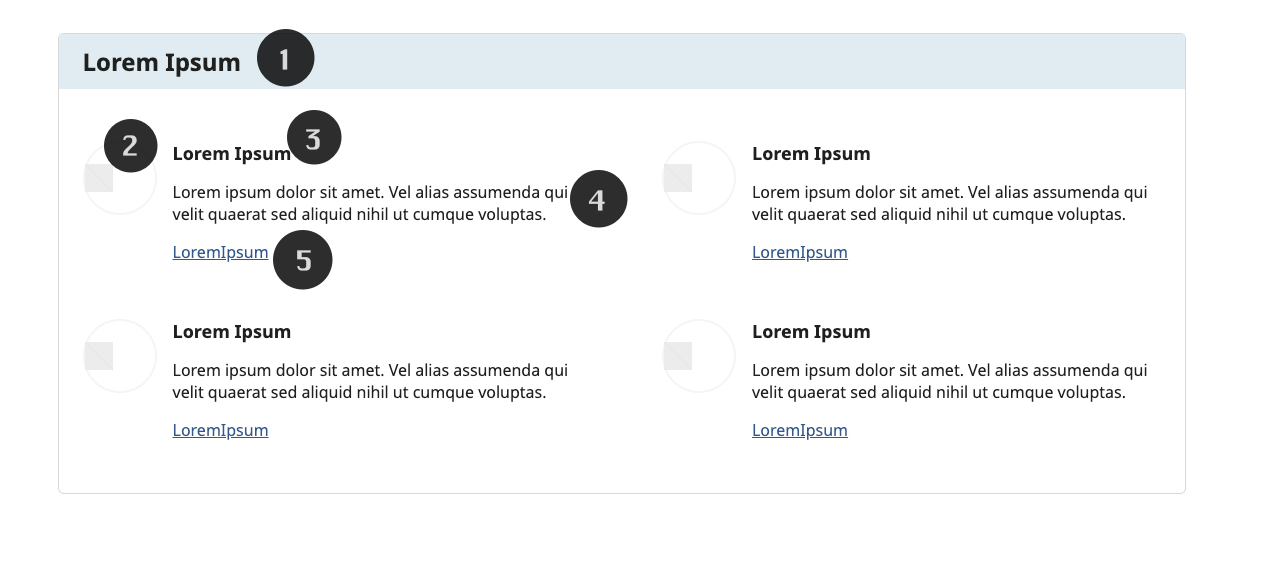
The pattern consists of:
Header Section
- Light gray-blue background
- H4 heading
icon
- 28px wide
Heading
- H6 heading
Paragraph
- 1.7 line height for readability
Link
Common Tasks
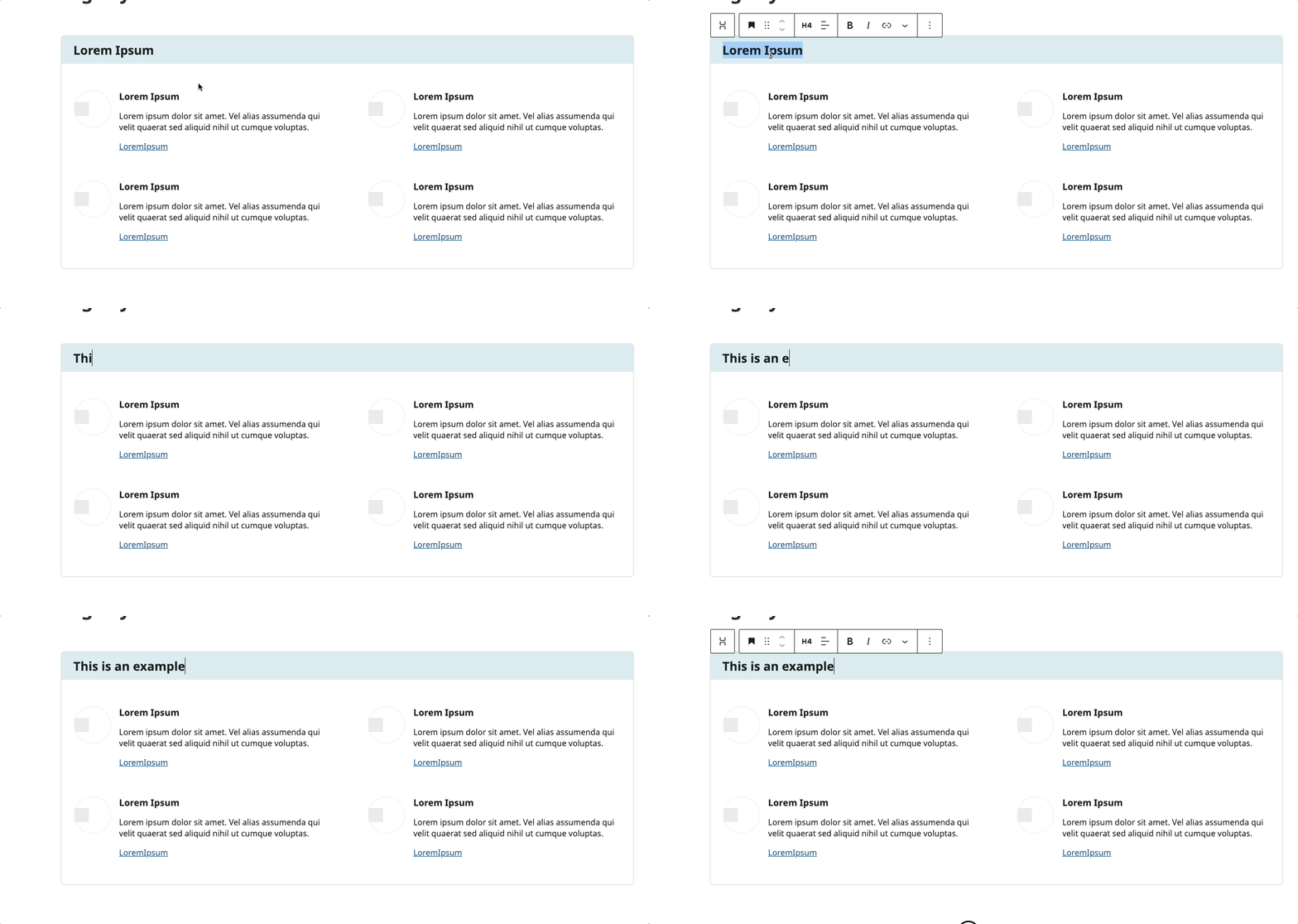
Header Modification
- Click to edit the H4 heading
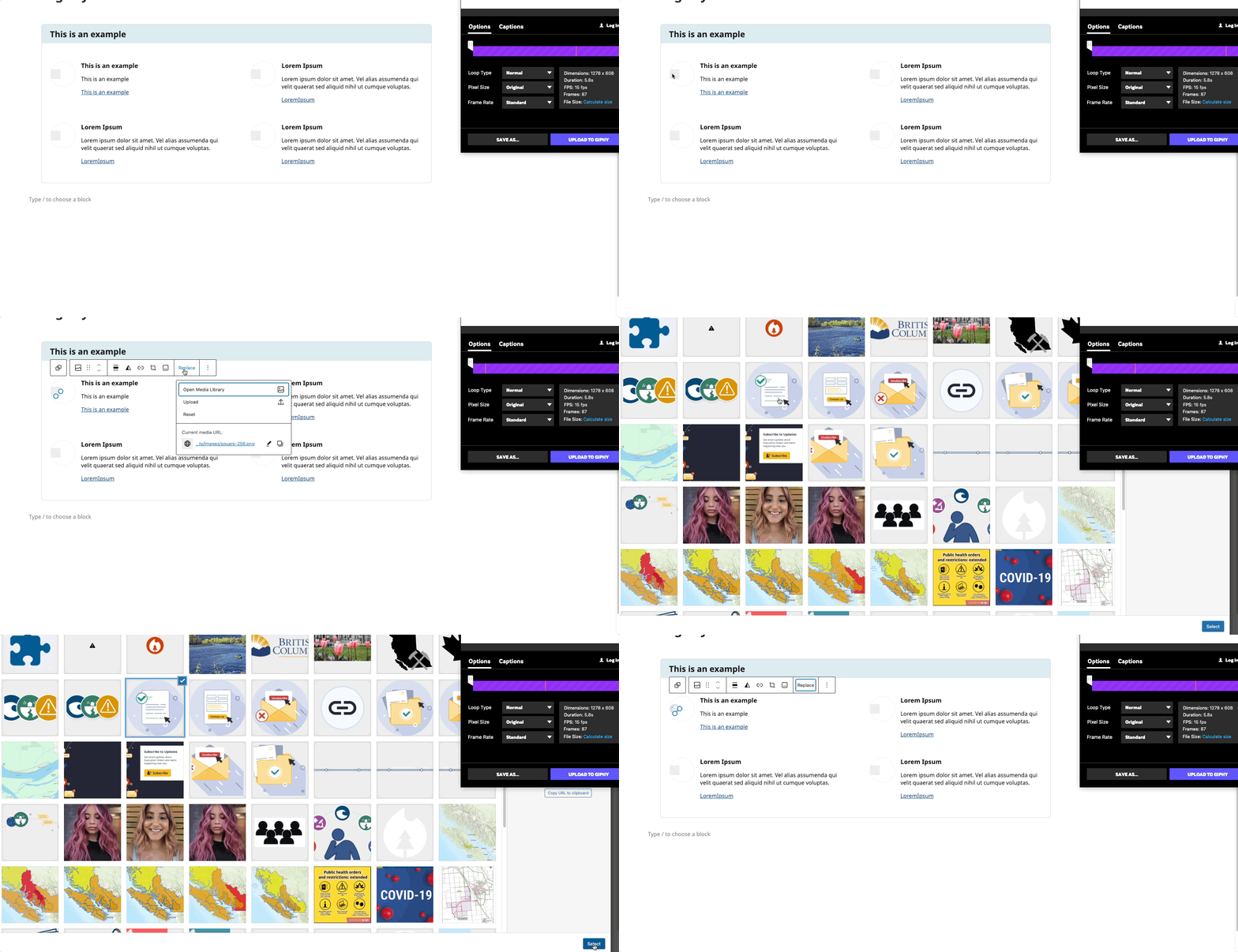
Change Icon
- Select image block
- Click "Replace"
- Upload or select a 28px square icon (If you upload a larger size, it will scale down to 28px)
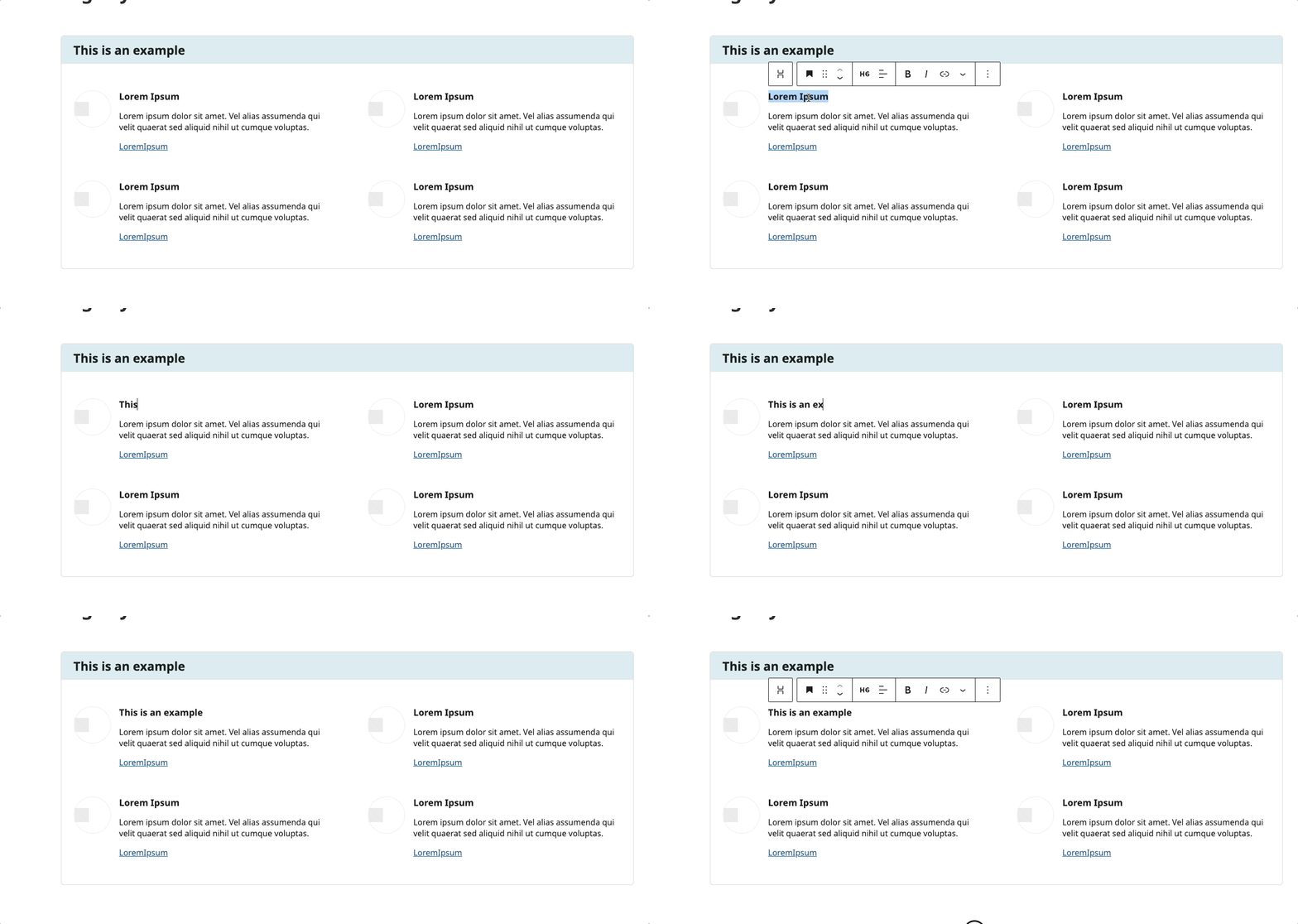
Modifying the Heading
- Click on the heading text
- Type your new heading
- The styling will automatically apply
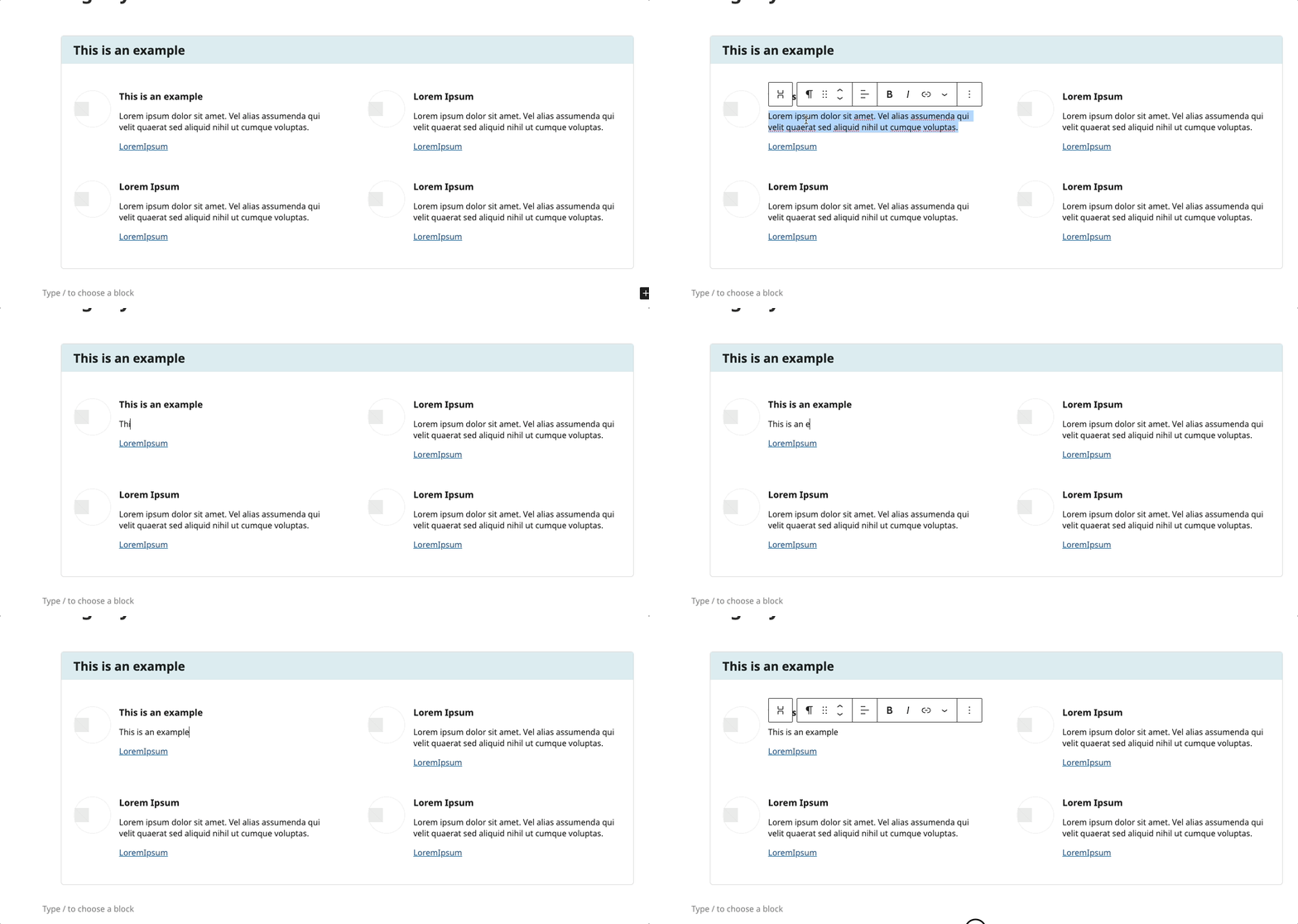
Modifying the Paragraph
- Click to edit paragraph text
- Start Typing new content
Updating Link
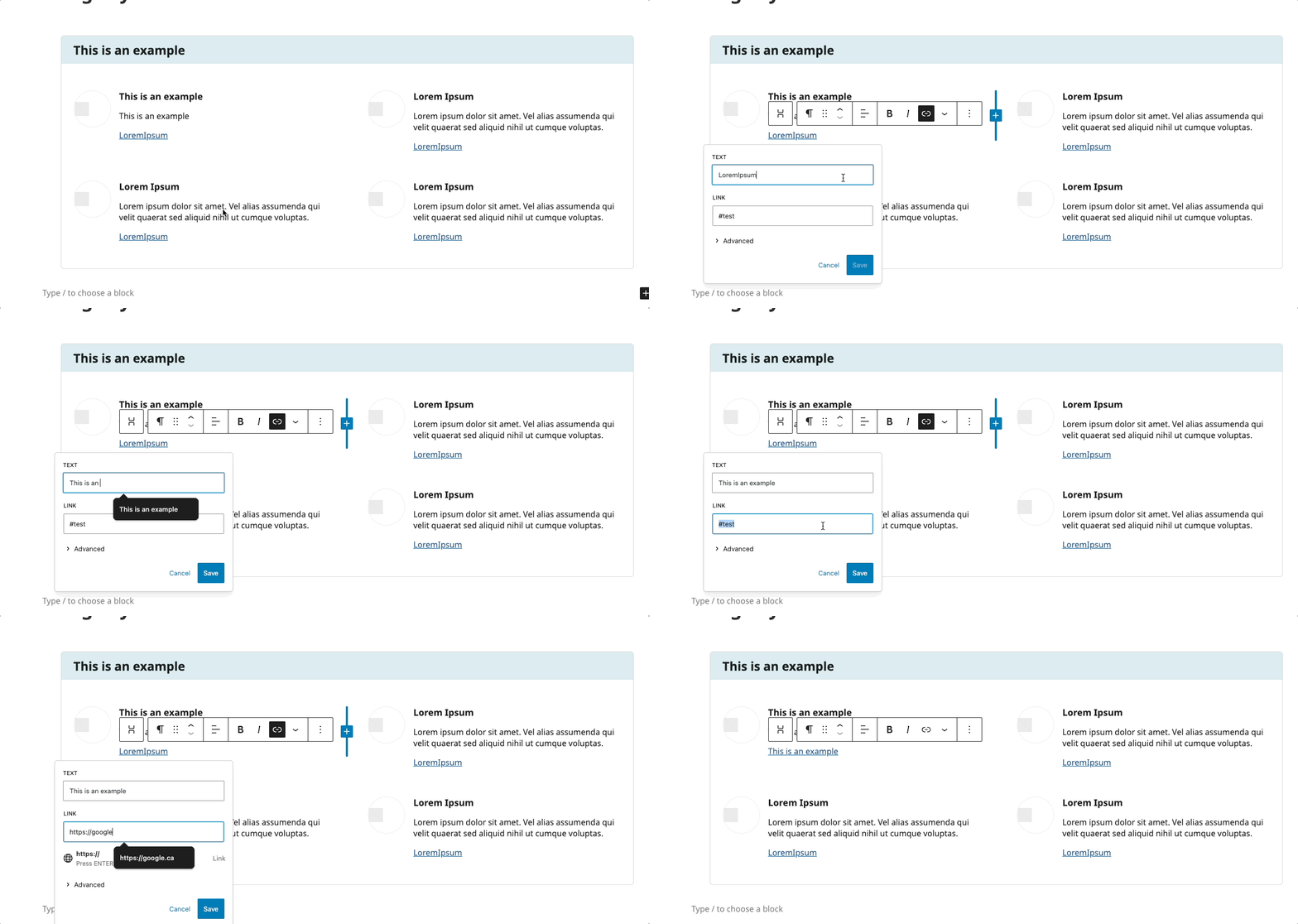
- Select the link text
- Update URL and text as needed
Layout Considerations
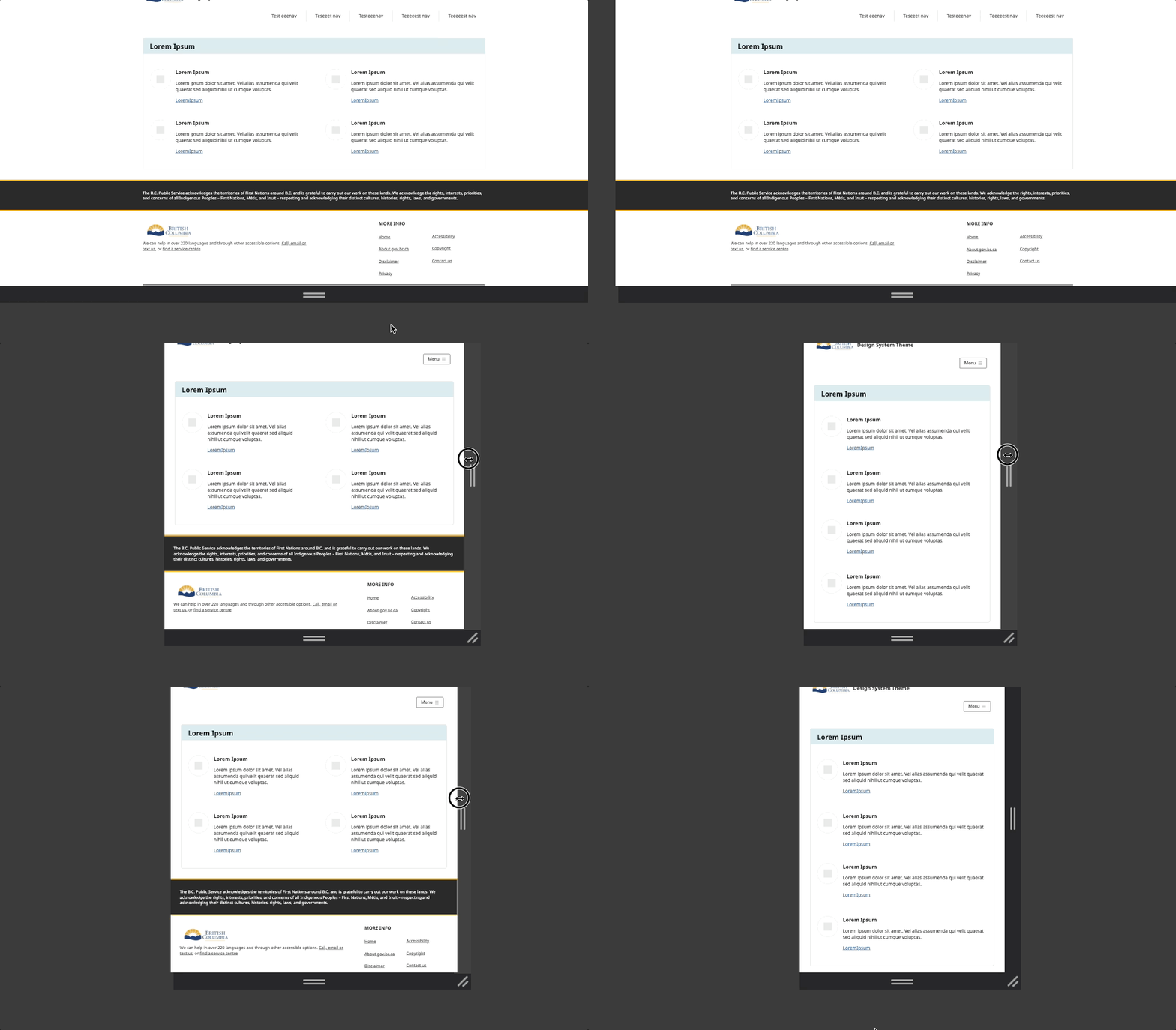
- Desktop: 2x2 grid
- Tablet: 2x2 grid maintained
- Mobile: Stacks to single column
Block Documentation
For detailed instructions on modifying specific blocks, refer to WordPress's official documentation: