DSWP Heading with Paragraph(s)
Overview
This pattern provides a structured content block with a callout heading followed by multiple paragraphs. It's designed for long-form content with consistent spacing and typography, ideal for articles, blog posts, or detailed information sections.
Important Note
Each pattern consists of several blocks. Only adjust the content and color block settings. The structural settings (padding and margins) are pre-configured for responsiveness. Modifying structural settings may break the pattern.
Pattern Components
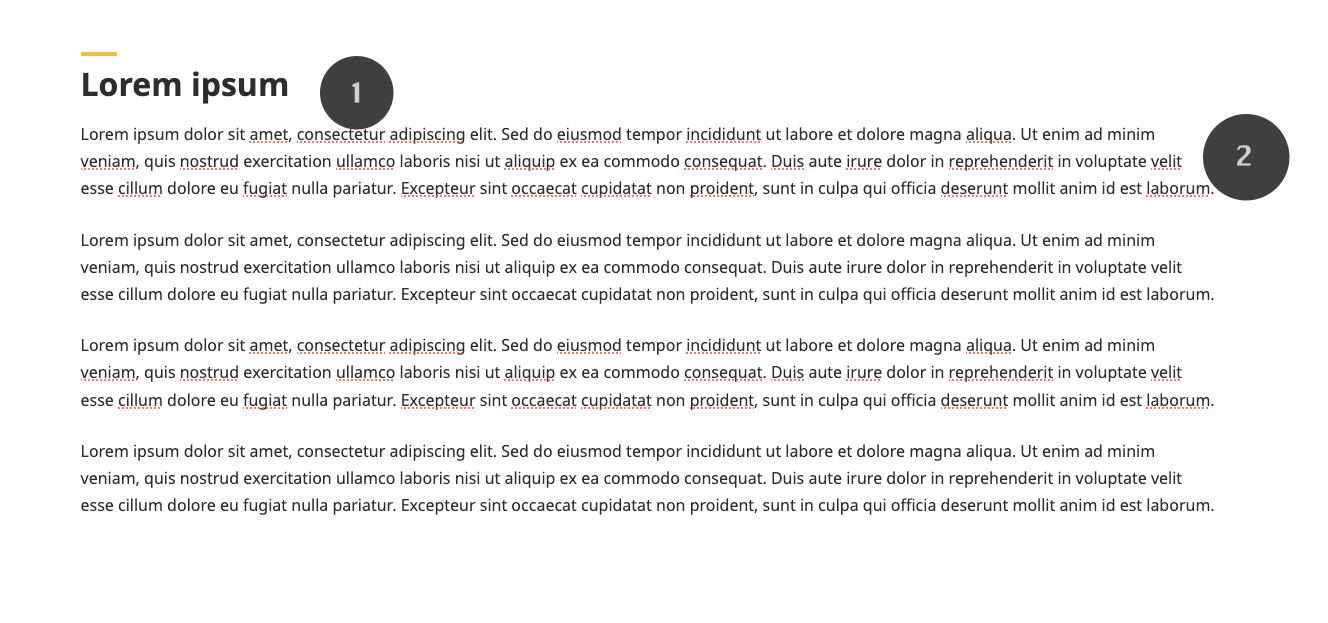
The pattern consists of two main sections:
Heading Group (1)
- Callout-styled heading
Paragraph Group (2)
- Multiple paragraph blocks
- 1.7 line height for readability
Common Tasks
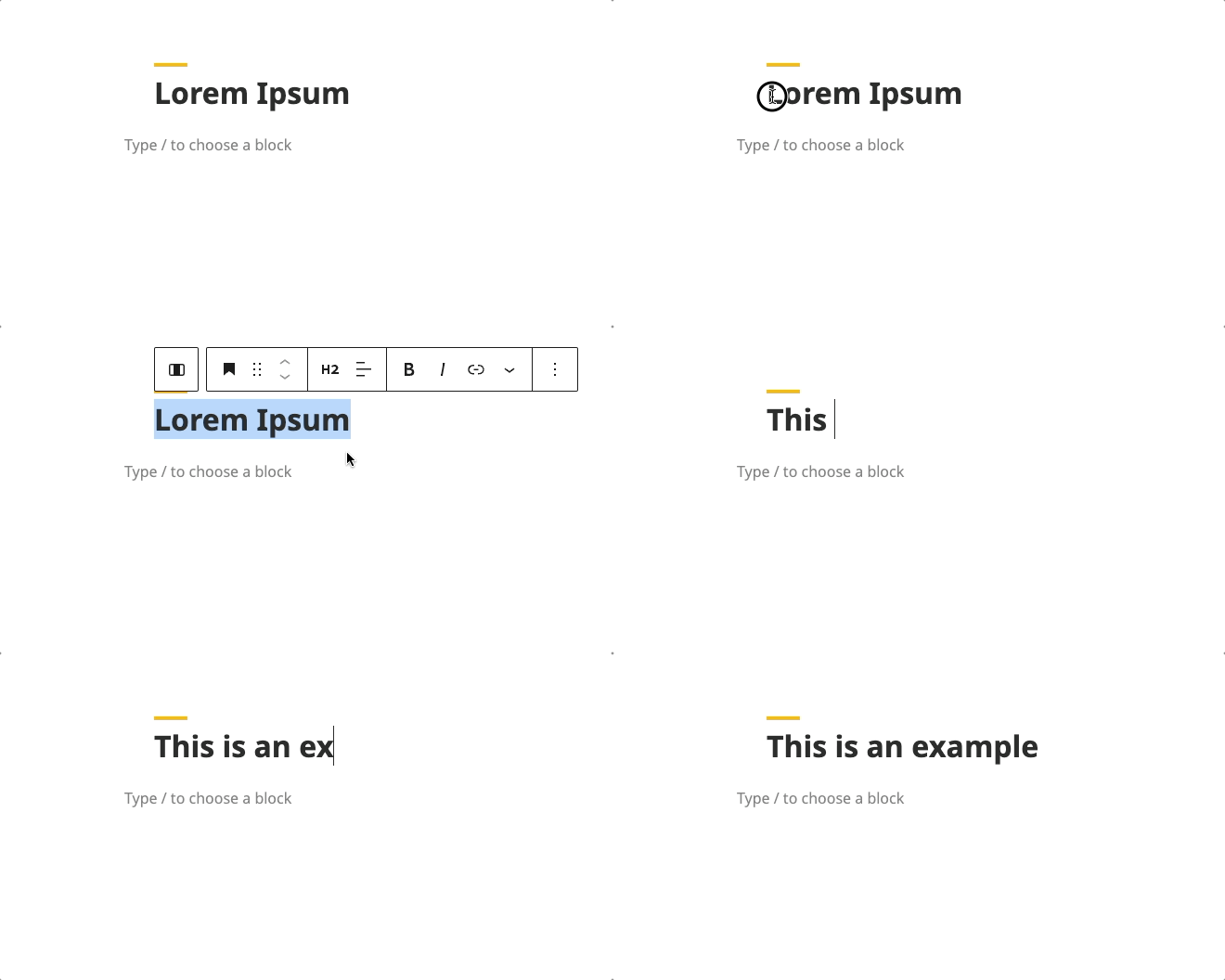
Modifying the Heading
- Click on the heading text
- Enter your new heading
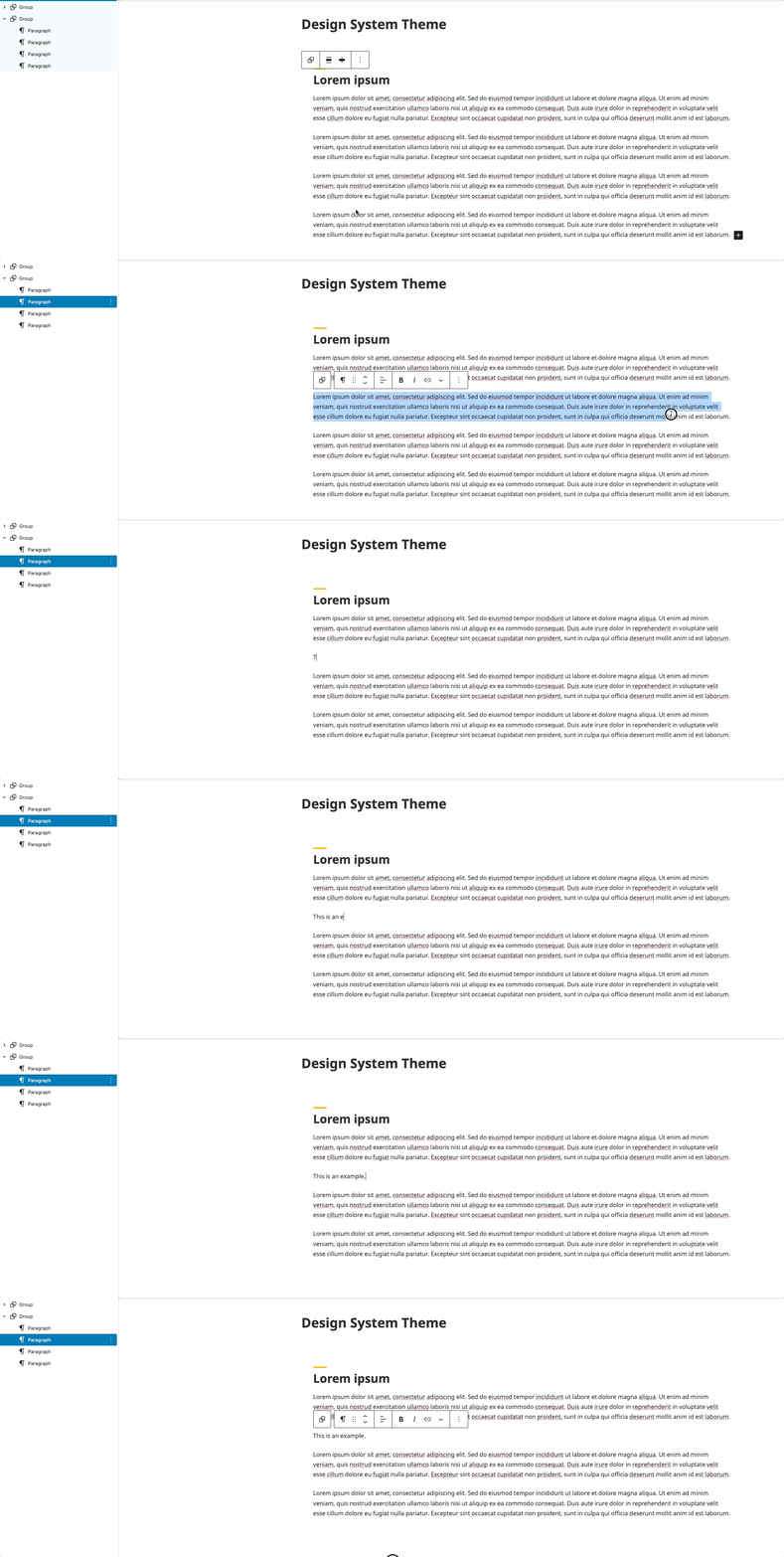
Edit a Paragraph
- Click on a paragraph
- Remove the Lorem Ipsum and start typing new paragraph
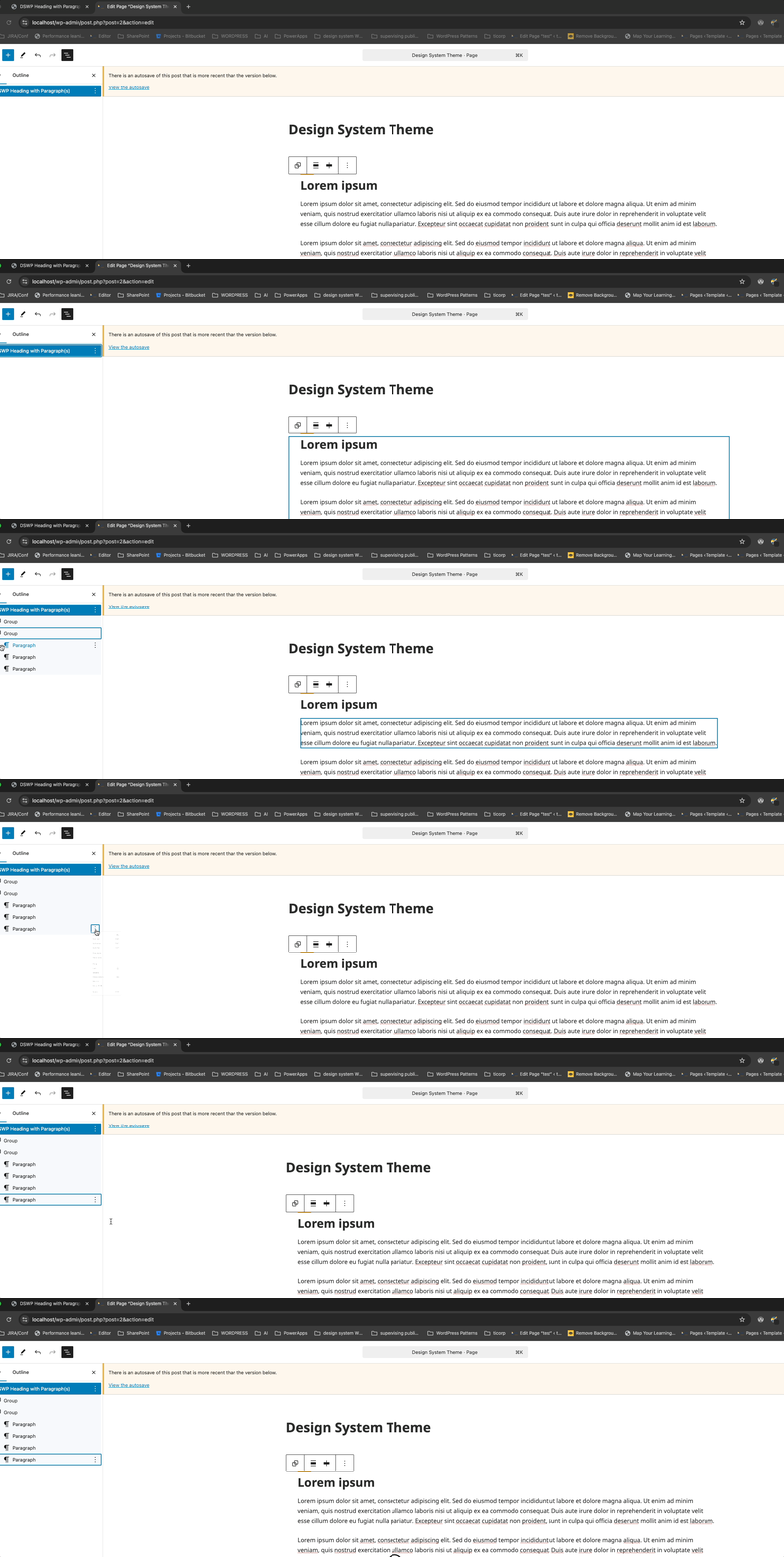
Adding a Paragraph
- Select a "Paragraph" block
- Select Duplicate
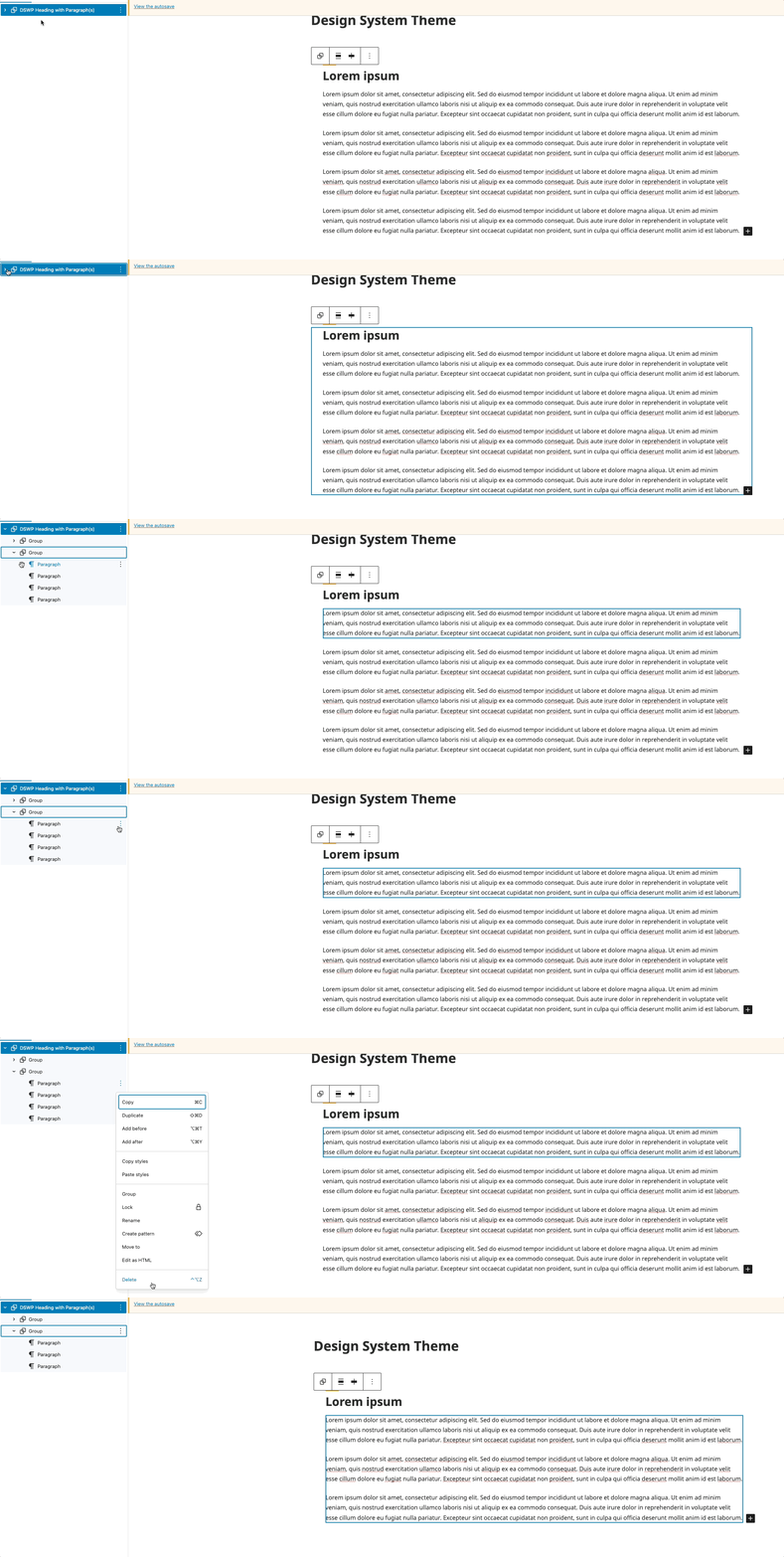
Removing a Paragraph
- Select the paragraph block
- Press Delete or click the three dots menu and select "Remove block"
Block Documentation
For detailed instructions on modifying specific blocks, refer to WordPress's official documentation: