Metadata Settings
Metadata Settings defines custom fields displayed on documents and used for search, sorting, and filtering.
Access and fields
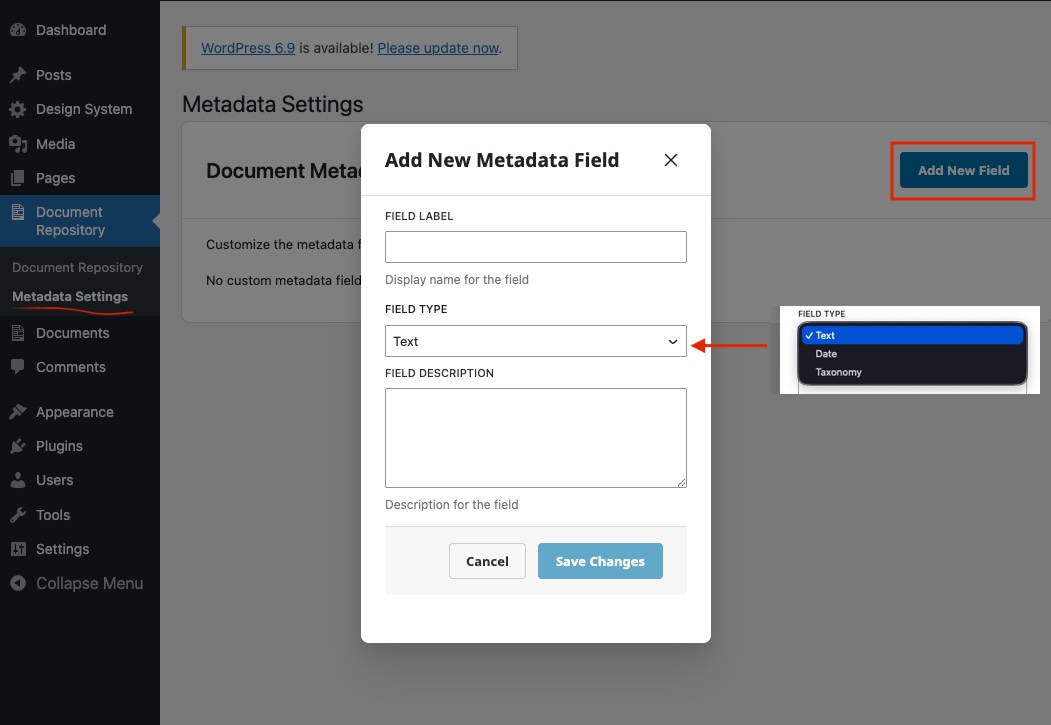
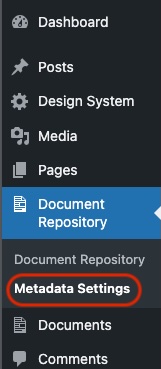
In WordPress Admin, go to Document Repository → Metadata Settings. Admins and users with the configured Document Repository capability can manage fields. The default capability is upload_files.
Each field has a required Field Label, a Field Type (Text, Date, or Taxonomy), and optional Description. Taxonomy fields require terms, one per line; for example, taxonomy Animals with terms Ape, Bear, and Coyote.
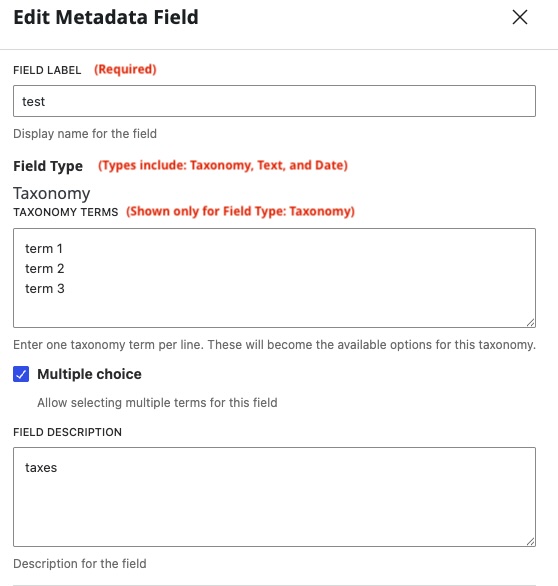
Field type cannot be changed after creation. Text and Date values may be empty; Taxonomy requires terms. New fields appear on documents with blank values until edited.
Add a field
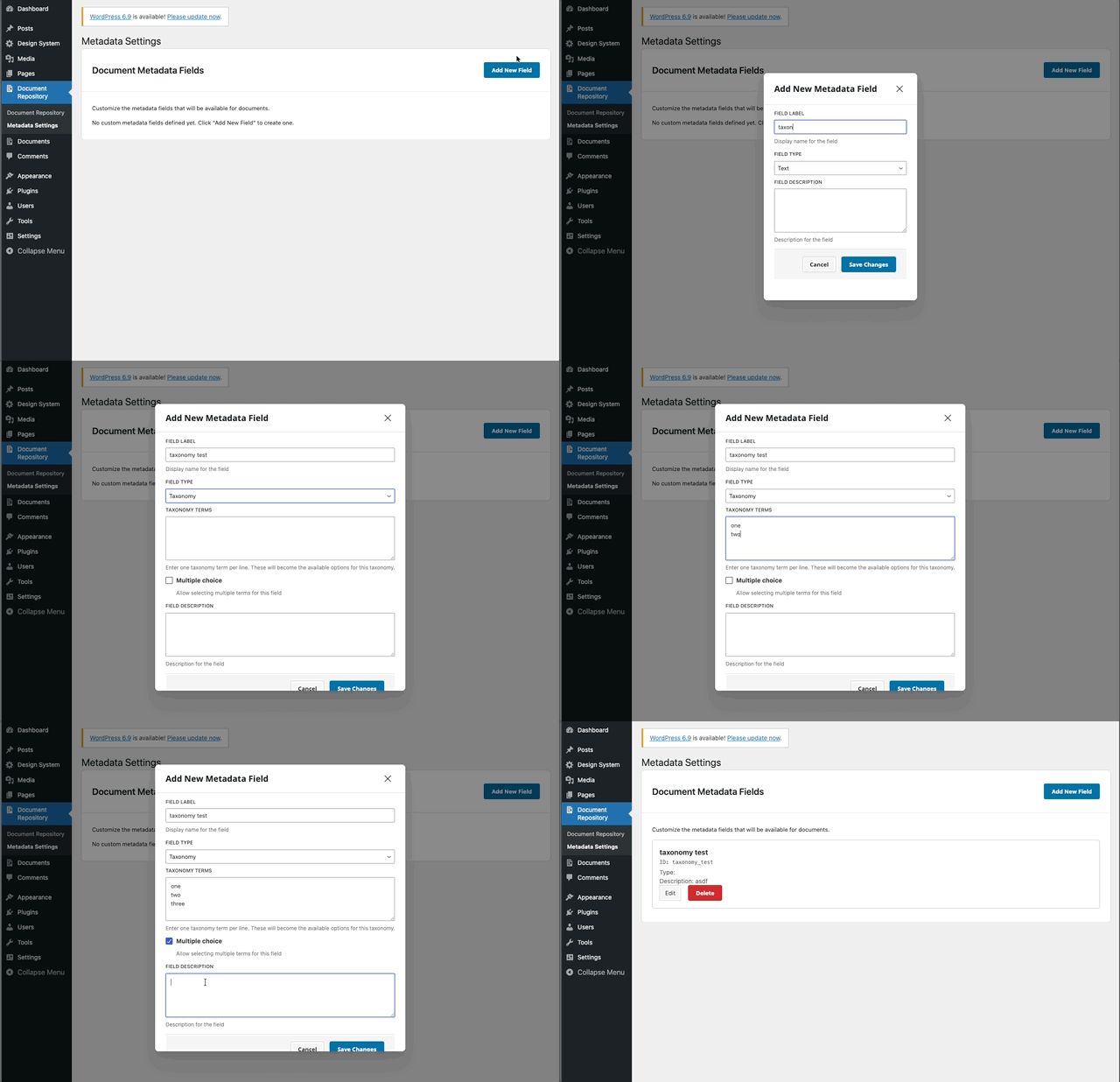
- Go to Document Repository → Metadata Settings and click Add New Field.
- Enter a label and choose Text, Date, or Taxonomy.
- For Taxonomy, enter terms one per line and optionally enable Multiple Choice.
- Optionally add a description, then click Save.
Edit or delete a field
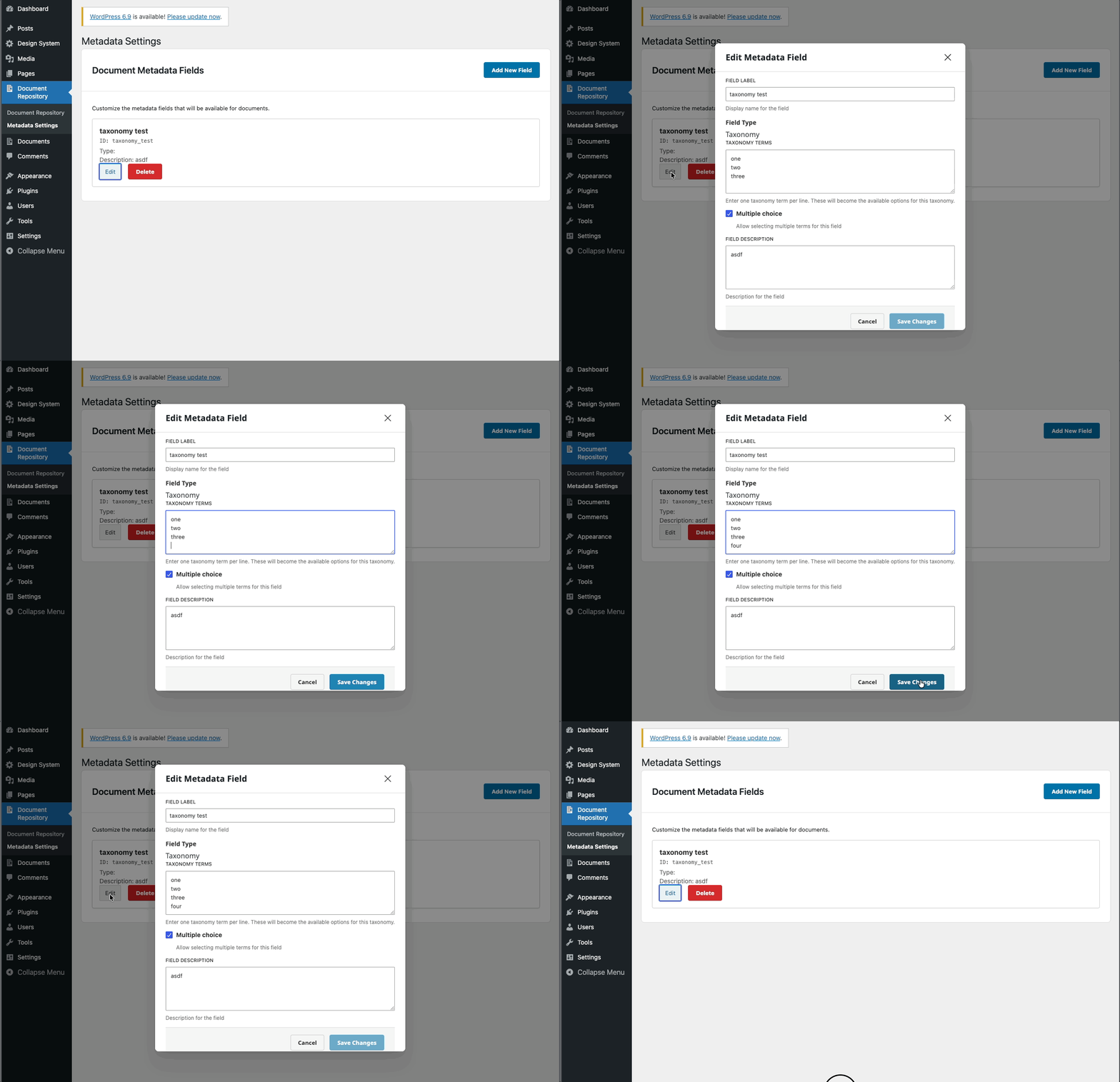
Click Edit beside a field to update its label, description, or taxonomy terms. Type is locked after creation. Keep at least one taxonomy term. Removing a term immediately removes that term assignment from every document that used it; adding a term does not assign it to existing documents.
Click Delete and confirm to permanently remove the field and all its values. The field disappears from both views.
Use metadata
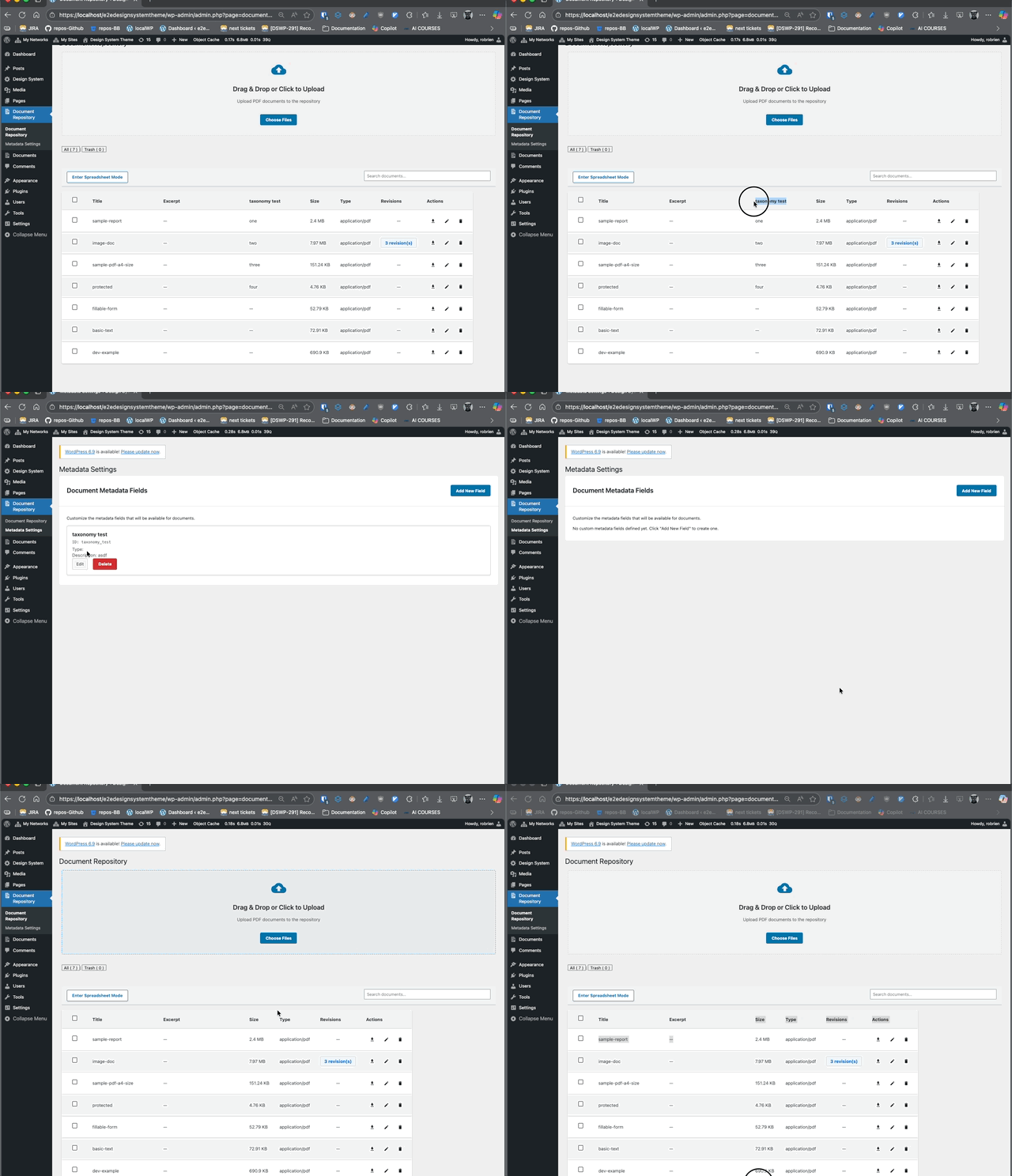
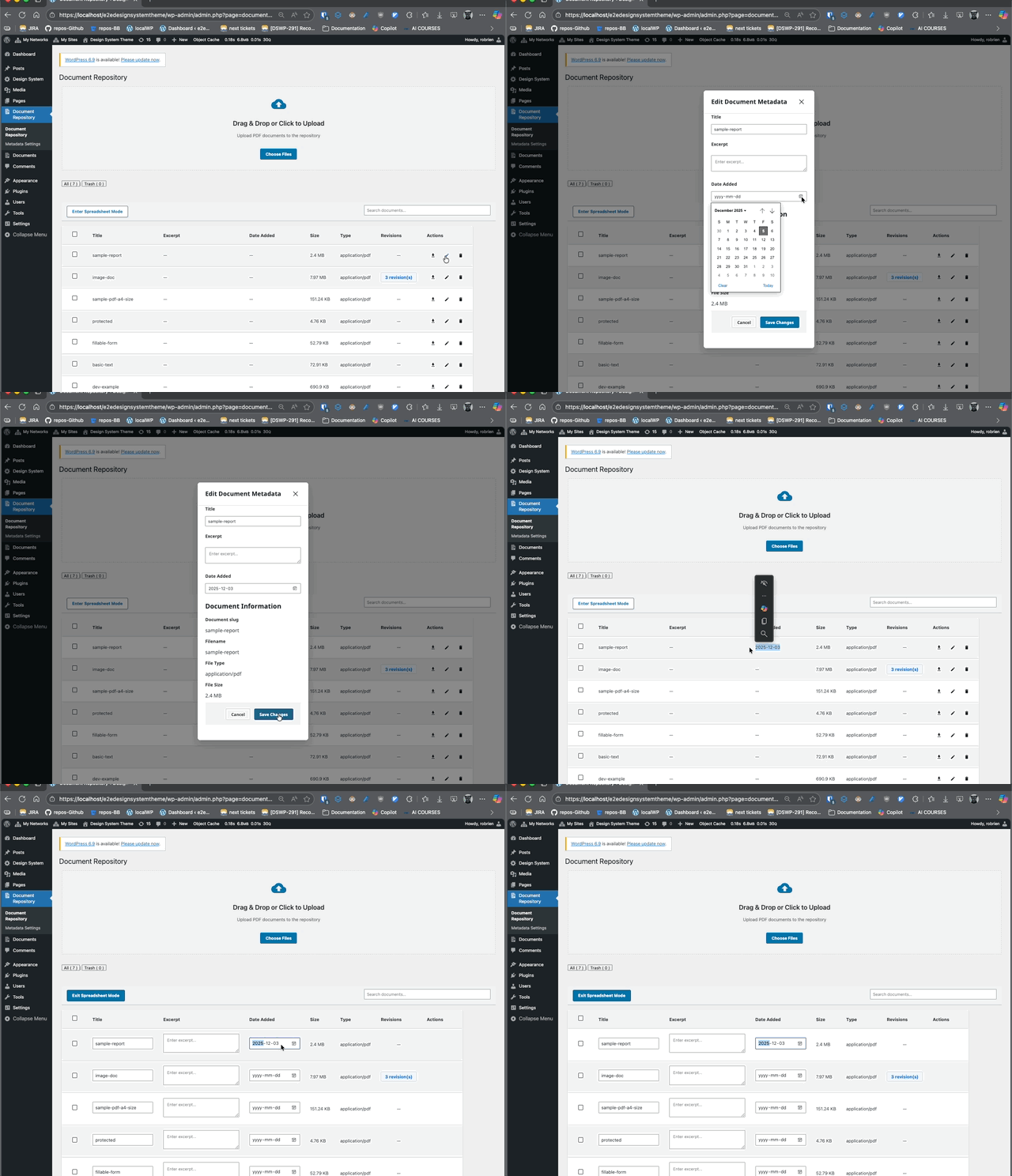
Fields appear as columns in standard and spreadsheet views. Edit values per document in either view. Text, date, and taxonomy fields can be searched or filtered by matching text, date, or selected terms.
Create only fields you will use; plan taxonomy terms carefully. If fields are missing, refresh and confirm they exist and you have permission. New fields are blank until document values are edited. Field types are fixed; delete and recreate a field to change type. Keep the number of fields and taxonomy terms manageable for performance.