BreadCrumb Block
Overview
The BreadCrumb Block outputs a hierarchical trail of links representing the current page’s position within the site’s Page tree (e.g. Home / Parent / Child). It is a dynamic (server‑rendered) block: no HTML is stored in post content, ensuring the trail is always accurate when page titles or structure change.
Key Features
- Dynamic server-side rendering (PHP
render.php) - Supports Page hierarchy (Pages only; other post types pending)
- Optional link on current page
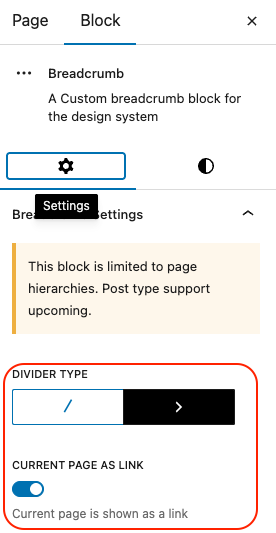
- Switchable divider style: (
/or>) - Editor placeholder preview with selectable settings
- RTL-compatible styles (separate compiled CSS)
When to Use
Place the block near the top of Page templates or a Header/Content template part to improve navigation clarity and orientation. Useful for large, nested page structures, product documentation, or corporate sites.
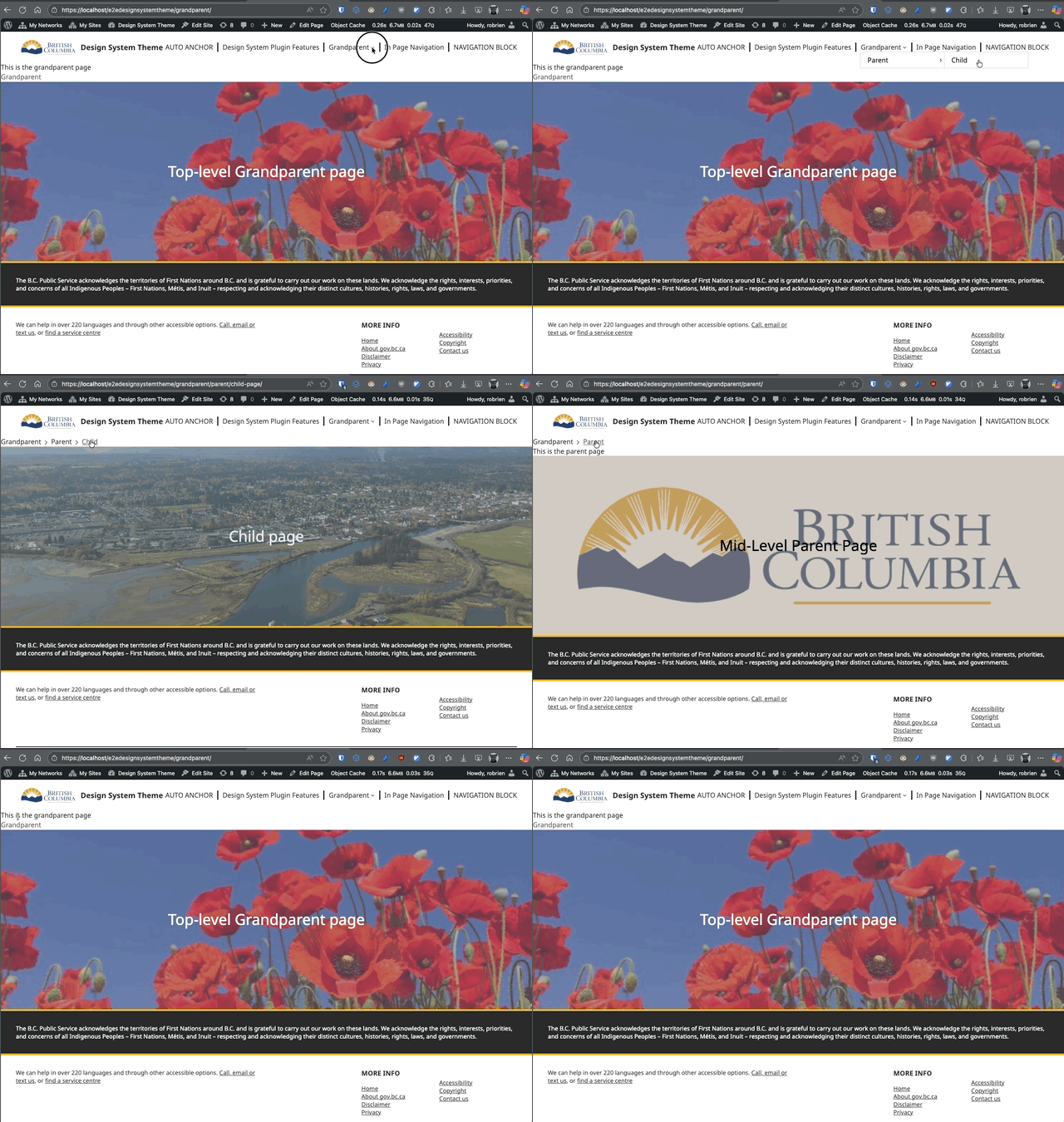
Using Breadcrumbs to navigate
Block Settings (Inspector)
| Setting | Attribute | Type | Description |
|---|---|---|---|
| Divider Type | dividerType | / or > | Chooses the visual separator between breadcrumb items. |
| Current Page as Link | currentAsLink | boolean | If enabled, the final (current) breadcrumb item is rendered as a link; otherwise plain text. |
Editing Experience
In the Site Editor (or Page editor if allowed), the block shows a static example (Grandparent / Parent / Child) so you can preview divider style changes. Real hierarchy only appears on the front end. 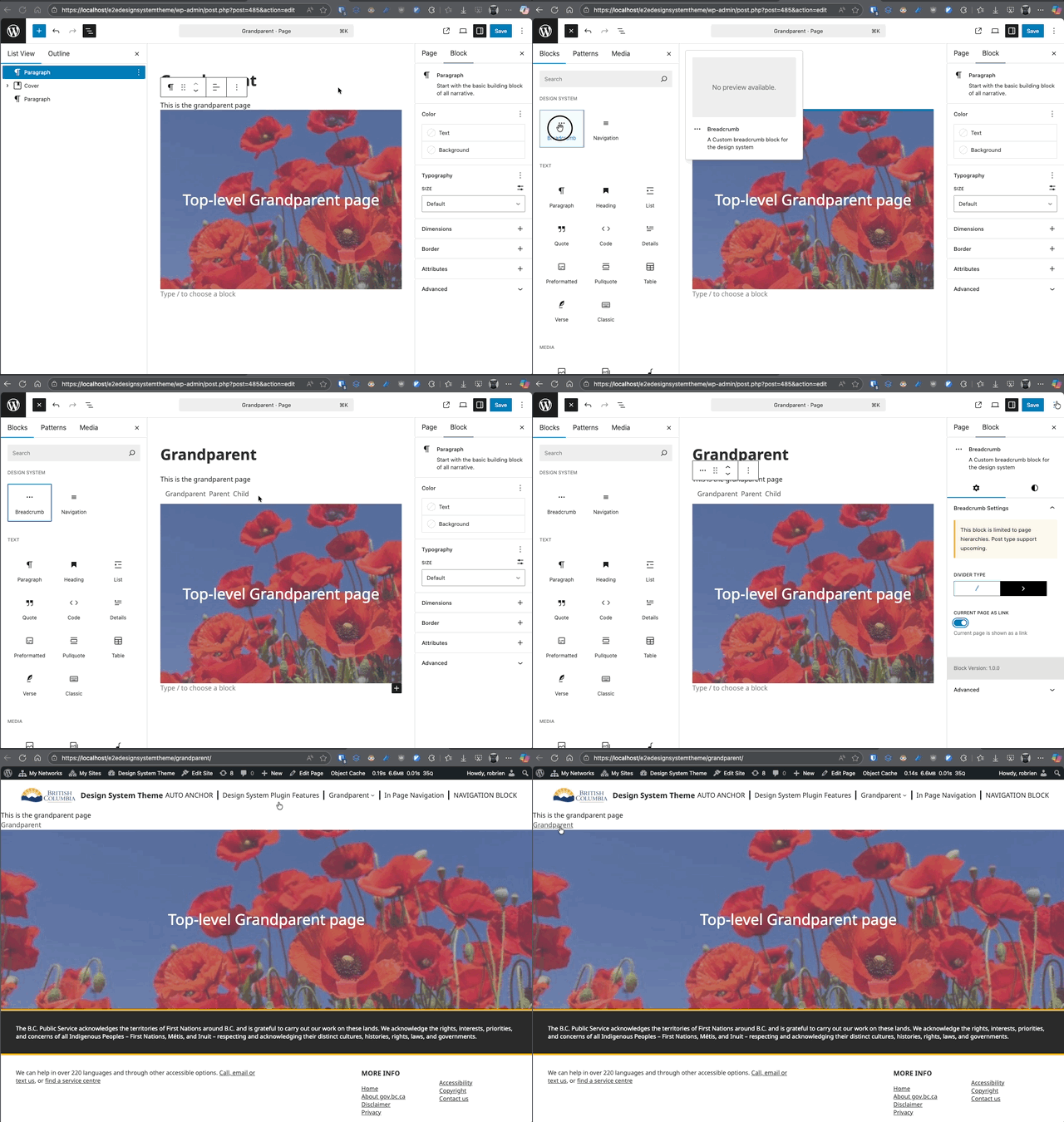
Front-End Rendering
The PHP render callback assembles the page ancestors in order:
- Root ancestor (often “Home”)
- Intermediate ancestors
- Current page (link or text based on setting)
Separators are injected between items using the chosen style.
Usage Examples
Add to a Page Template (Recommended)
- Appearance > Editor.
- Open the “Single Page” template (or create a Template Part such as Header).
- Insert “BreadCrumb” block below site header.
- Adjust settings (divider style, current page link).
- Save and view a deeply nested page.
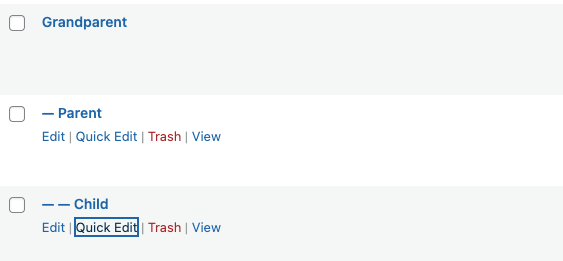
Quick Demo Hierarchy
Create three Pages:
- Grandparent (top level)
- Parent (set Parent to Grandparent)
- Child (set Parent to Parent) View Child page with the block placed in the Page template.
Styling & Customization (custom CSS)
- Target wrapper selector:
.dswp-block-breadcrumb__container - Separator element:
.dswp-breadcrumb-separator - Provide overrides in a theme stylesheet or a global style variation.
- RTL adjustments handled by generated
style-index-rtl.css.
Accessibility
- Uses semantic list-like linear navigation sequence.
- Each ancestor is a link; current page optionally a link (toggle).
- Keep link text concise; page title changes automatically propagate.
Performance
Dynamic rendering avoids recalculating trails client-side. Minimal markup; styles are precompiled.
Limitations
- Currently supports only Page hierarchies (posts, custom post types upcoming).
- No built-in schema markup (can be added in theme if desired).
- Does not display taxonomy-based paths.
Best Practices
- Avoid placing multiple breadcrumb blocks on the same template.
- Keep divider style consistent site-wide.
- Do not manually duplicate breadcrumb links in body content.
Troubleshooting
- Breadcrumbs missing: Confirm the block is in a Page template, not a Post template.
- Wrong hierarchy: Verify parent settings for each Page.
- Current page still a link when disabled: Clear caches (object / page cache) and reload.