Keycloak
What are the discovery endpoints for the Keycloak?
The sso configuration or discovery endpoint for the standard realm in different envinonments are the following:
Note: For custom realms, just replace standard with <YOUR_CUSTOM_REALM_ID> in the above URLs
Where can I find the public keys for the Keycloak?
You can find the public keys for the standard realm in different environments at the following links:
Note: For custom realms, just replace standard with <YOUR_CUSTOM_REALM_ID> in the above URLs
Why does Logging out of Keycloak does not kill my session with the identity provider?
This is a known issue with identity providers which retain session. SiteMinder (for example) will hold that session until the user is logged out using the SiteMinder logout endpoint. The result with your current flow is that although the Keycloak session is destroyed, the SM session is retained so when the login endpoint is clicked the user is logged in seamlessly.
The solution is to chain your logout call:
-
On user logout, first call the
SiteMinderlogout endpoint with a redirect back to the Keycloak logout endpoint -
Then redirect back to the application from the Keycloak logout endpoint
This should effectively drop your sessions in SiteMinder & Keycloak.
URL Format:
https://${SM_LOGOUT_URL}?retnow=1&returl=${KC_LOGOUT_URL}?post_logout_redirect_uri=${APP_LOGOUT_URL}
Prod Example URL:
https://logon7.gov.bc.ca/clp-cgi/logoff.cgi?retnow=1&returl=https://dev.loginproxy.gov.bc.ca/auth/realms/<myrealm>/protocol/openid-connect/logout?post_logout_redirect_uri=https://myapp/logout
How to share Keycloak Realm between application teams without sharing the admin credentials?
The SSO Service is built on top of RedHat Build of Keycloak(RHBK) and it offers Standard and Custom realms. The applications integrating through Standard realm does not have access to Keycloak native admin UI but are provided with CSS to manage their integration instead. However, teams provisioned with custom realm do have access to their realm's admin UI and can use Keycloak's fine-grained admin permissions (FGAP) feature to manage admin access in the realm. Please follow this guide to learn more.
FGAP in Keycloak let you precisely control who can do what on which specific admin resources, instead of giving broad admin roles. It works by combining four things:
-
Resources → what is being managed Examples: users, a specific client, a group
-
Scopes → what action is allowed Examples: view, manage, configure
-
Policies → who is allowed Examples: users with a role, a group, custom rules
-
Permissions → the rule that ties everything together (resource + scope + policy)
How it works?
When an admin tries to perform an action, Keycloak checks: “Does this user’s policy allow this action (scope) on this resource?”
Admin action → FGAP check → policy evaluation → allow / deny
When to Use FGAP?
Use it when you need:
- Delegated administration
- Multi-tenant admin isolation
- Per-team resource ownership
- Least-privilege admin access
How do I test protected pages with Cypress and Keycloak?
Overview
Testing pages protected by Keycloak requires authenticating within your Cypress test suite. You can extract the Keycloak library directly into your Cypress project. Please use below example to complete the setup.
Example: The bcgov/biohubbc repository maintains a custom keycloak.js library in the support/ folder that works with Keycloak-only and federated identities (IDIR, BCeID). See commands.ts for implementation examples.
Best Practice: Mock Authentication in Tests
The Cypress best practice is to test the authentication flow once, then mock authentication in all subsequent tests. This approach is faster and more reliable.
Mocking with cookies (backend-handled authentication):
Cypress.Commands.add("mockLogin", (userName) => {
  cy.setCookie("auth", userName);
});
Mocking with feature flags (frontend-handled authentication):
Configure your application to check for a test mode flag and bypass authentication in tests.
Available resources:
- Cypress authentication plugins
- Cypress login recipes
How do I get the GUID of the client under Client settings in Keycloak?
The client GUID is not available in the Standard Realm. This information is only accessible in a Custom Realm and must be retrieved via the Keycloak Admin API.
For Custom Realm Owners
If you own a Custom Realm and need to retrieve a client's GUID, you can use two ways:
Keycloak Admin API
GET request:
GET /admin/realms/{realm-name}/clients?clientId=<YOUR_CLIENT_ID>
This returns a JSON response containing the client details, including the id field (the GUID).
Example using curl:
curl -X GET "https://dev.loginproxy.gov.bc.ca/auth/admin/realms/<YOUR_CUSTOM_REALM>/clients?clientId=<YOUR_CLIENT_ID>" \
  -H "Authorization: Bearer $ACCESS_TOKEN"
Keycloak Native Admin UI
Navigate to your custom realm and select clients and search and click on your client. After the client is opened in edit mode, you can copy your client GUID from the browser URL, which should be in the format below.
https://dev.sandbox.loginproxy.gov.bc.ca/auth/admin/<YOUR_CUSTOM_REALM>/console/#/<YOUR_CUSTOM_REALM>/clients/<YOUR_CLIENT_GUID>/settings
Which time zone is used for the SSO (Keycloak) product?
The time zone used is PST (Pacific Standard Time)
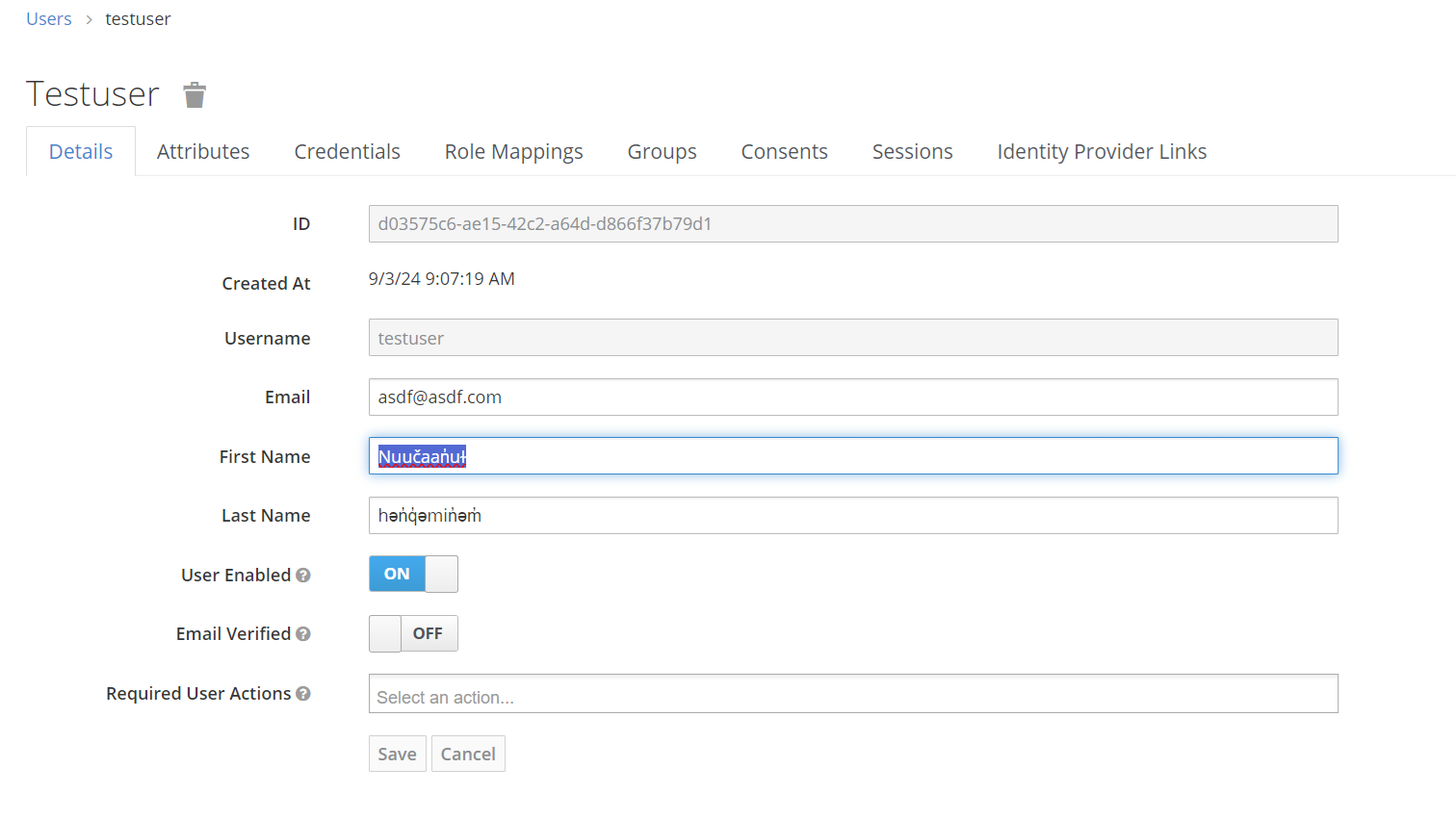
Does the Keycloak support indigenous characters?
Yes, it does
When using the IDIR IDP is there a way to automatically detect the BC Government VPN so the user doesn't have to enter their credentials? E.g. Compass Intranet?
Integrated Windows Authentication (IWA)
Yes. When users log into SiteMinder-protected applications from BC Government machines or inside the BC Government network, Integrated Windows Authentication (IWA) automatically detects their machine credentials and authenticates them in the background — without prompting for login credentials.
How IWA Works
On successful detection:
- The IWA server retrieves credentials from the user's machine
- User is authenticated and redirected directly to the application
- No login screen is displayed
- A session cookie (
SMSESSION) is created
Behind the scenes:
- An automatic background request is made to
https://ssotest7.gov.bc.ca/login/ntlm.htm(for test) or equivalent prod URL - This request triggers NTLM authentication if the user is on a Gov machine or network
- Session credentials are established invisibly
If IWA detection fails:
- Browser prompts user for IDIR credentials (fallback to manual login)
- This typically occurs if the user is not on a Gov machine or network segment
Default Behavior
IWA is enabled by default for all SiteMinder integrations. This allows Gov users to access applications seamlessly without re-entering credentials.
Logging Out
When a user logs out, a logout cookie is set:
SMSESSION: LOGGEDOFF
This terminates the SiteMinder session.
Workarounds for Testing or Bypass
If you need to bypass IWA (for example, to test explicit login flows):
- Use Firefox browser on Gov machines (IWA not supported)
- Use Chrome Incognito mode on Gov machines (IWA bypassed)
What is the recommended timeout for an access token? What about a refresh token?
The recommended settings are the following:
-
Access Token - Usually 5 minutes or less. The access token should always be short lived; this will ensure minimal loss of data if one of your tokens is compromised.
-
Refresh Token - Usually 30 minutes. The refresh token is used to retrieve a new access token (once the access token has expired)
Note these are the default values for Keycloak (5 min access/30 min refresh)
The pattern most teams take is to keep checking the access token timeout before any calls are made. If the token is expired (or very close), use the refresh token to renew it. This will result in a new refresh token as well. If the refresh token is past expiry, log the user out for inactivity
How can I get user details from the KeyCloak API in the custom realm?
If your team has your own custom realm, you'll need a service account client within your realm which has been granted with a client role view-users from the client realm-management
How can I have a back to app/website navigation on an IDP login page using the broker URL?
Yes, you can pass a return URL to the identity provider so users are redirected back to your application after authentication. This is done using Keycloak's Forward Query Parameters feature.
How It Works
-
Define a query parameter name — Your IDP specifies the name of the parameter it will accept (for example,
safeReturnURL,returnTo, orredirectAfterLogin). -
Configure Forward Query Parameters in Keycloak — Add this parameter to the IDP's
Forward Query Parameterslist so Keycloak passes it through to the IDP. -
Your application includes the parameter — When sending users to authenticate, append the parameter with your desired return URL:
https://loginproxy.gov.bc.ca/auth/realms/<YOUR-REALM>/protocol/openid-connect/auth?...&safeReturnURL=https://myapp.example.com/dashboard -
IDP receives and uses it — The IDP receives the parameter in the authentication request and can use it to redirect the user after successful login.
Important Notes
- The parameter name must match exactly what your IDP expects.
- The return URL must be a valid, authorized redirect URI for your client.
- Not all IDPs support this feature — check with your IDP first.
Can I get Active Directory groups from a normal login callout?
No. Regular authentication callouts do not provide those groups. If your application needs directory group information, contact the IDIM team to determine whether a web service lookup is available.
Can I have a pop-up style login window instead of redirection?
You can fully customize your login experience from the UI side in terms of your login buttons (using kc_idp_hint). That said, you could leverage a popup window to house the IDP login; however you'll still have to enter credentials on the common logon page (CLP) for BCeID and IDIR
What should I do if login fails with a redirect_uri error?
Check that the redirect URI configured in CSS exactly matches the one your application sends. The most common issues are trailing slashes, scheme mismatches, wrong hosts, and wrong ports.
What version of keycloak are you using?
Check our releases page for the current version. The semver tag will match the Redhat Build of Keycloak version, e.g. v26.4.11-build.3 uses RHBK 26.4.11. This closely aligns with the open source Keycloak version but is not exact, generally the major and minor will match but the patch may not. For more information on how the Redhat Build of Keycloak version aligns with the open source version see here.
Why am I seeing a "Client not found" error message?
If you are seeing the below page:
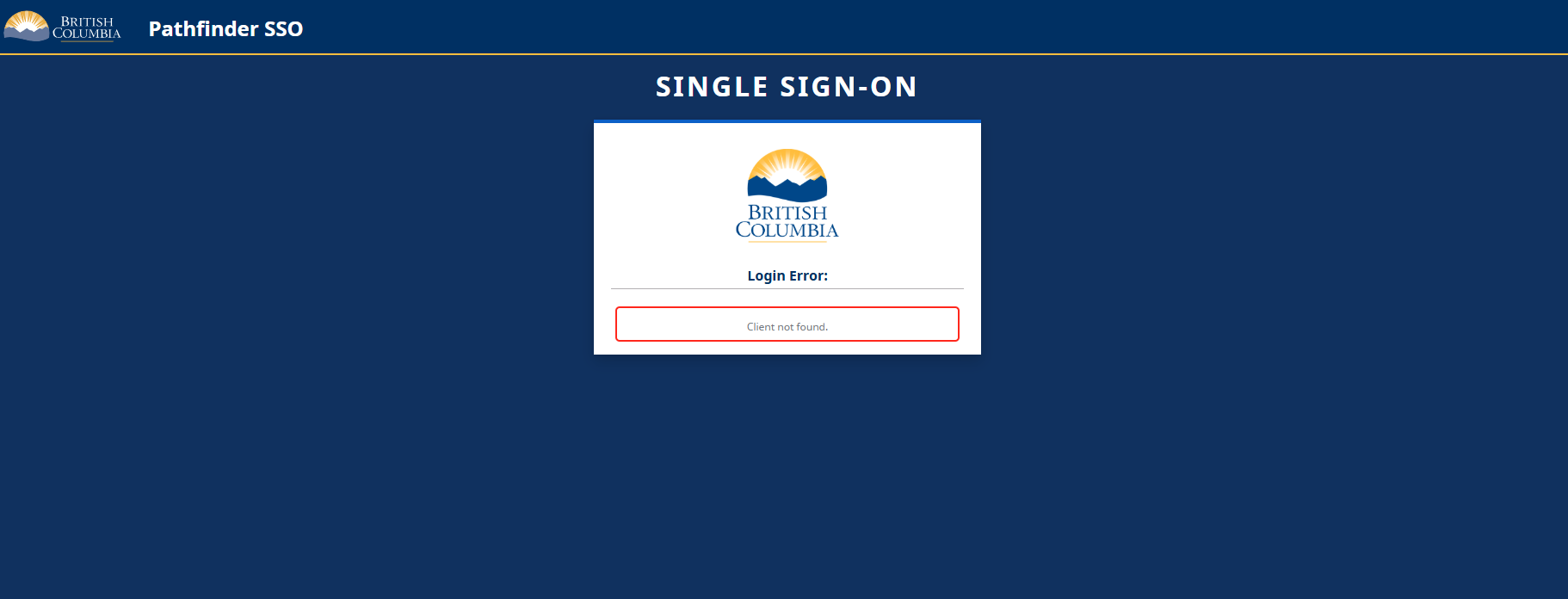
The client id is not recognized. Check the URL for the query parameter client_id=. The value after the equal sign must exactly match the value under the resource key of your installation JSON.