Custom Realms
How do I create and use a custom Authentication flow in my custom realm?
Custom authentication flows can be created & used by any team with a custom realm. Navigate to the Authentication menu item on the left hand side. Any of the existing flows can be modified, however it's recommended that you make a copy of the existing First Broker Login and Browser flows (these are most common to be modified). Modifying the existing flows could result in a lockout in your custom realm.
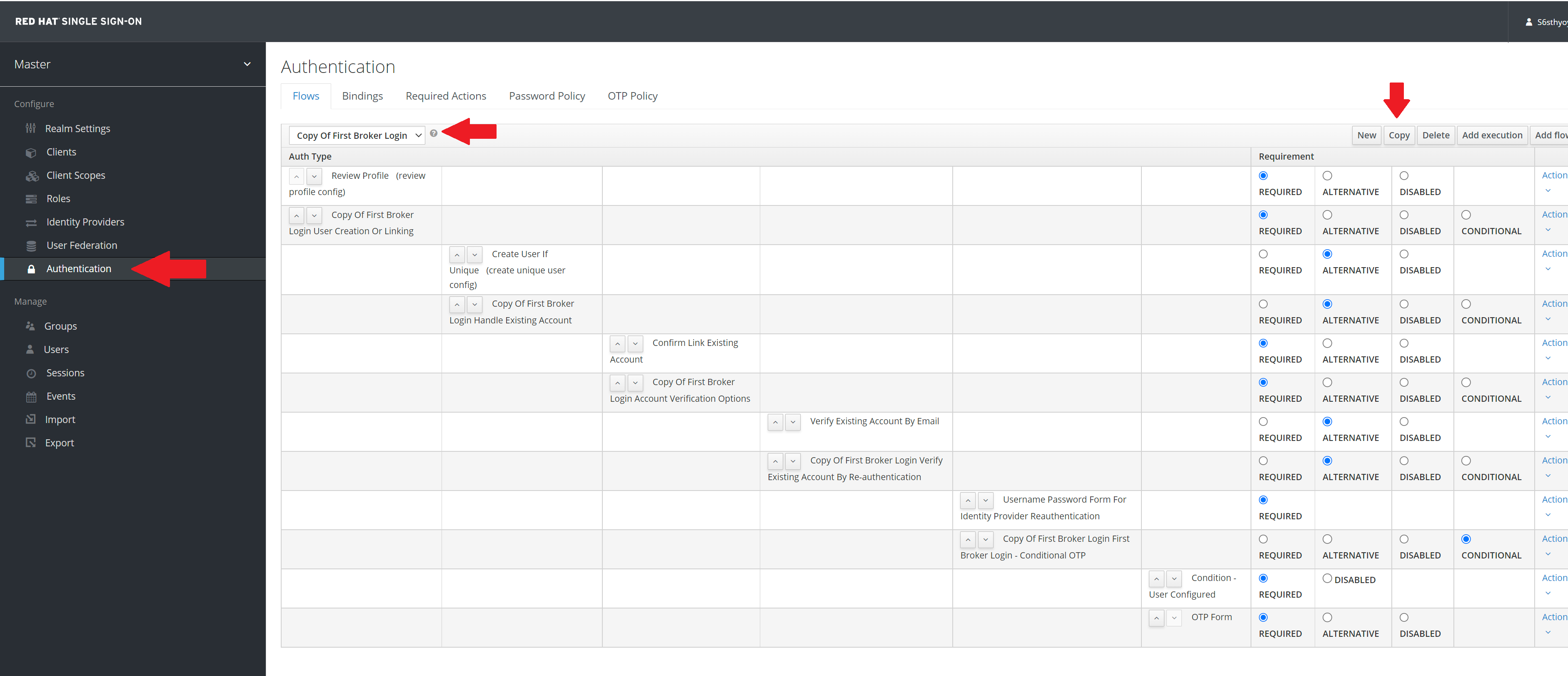
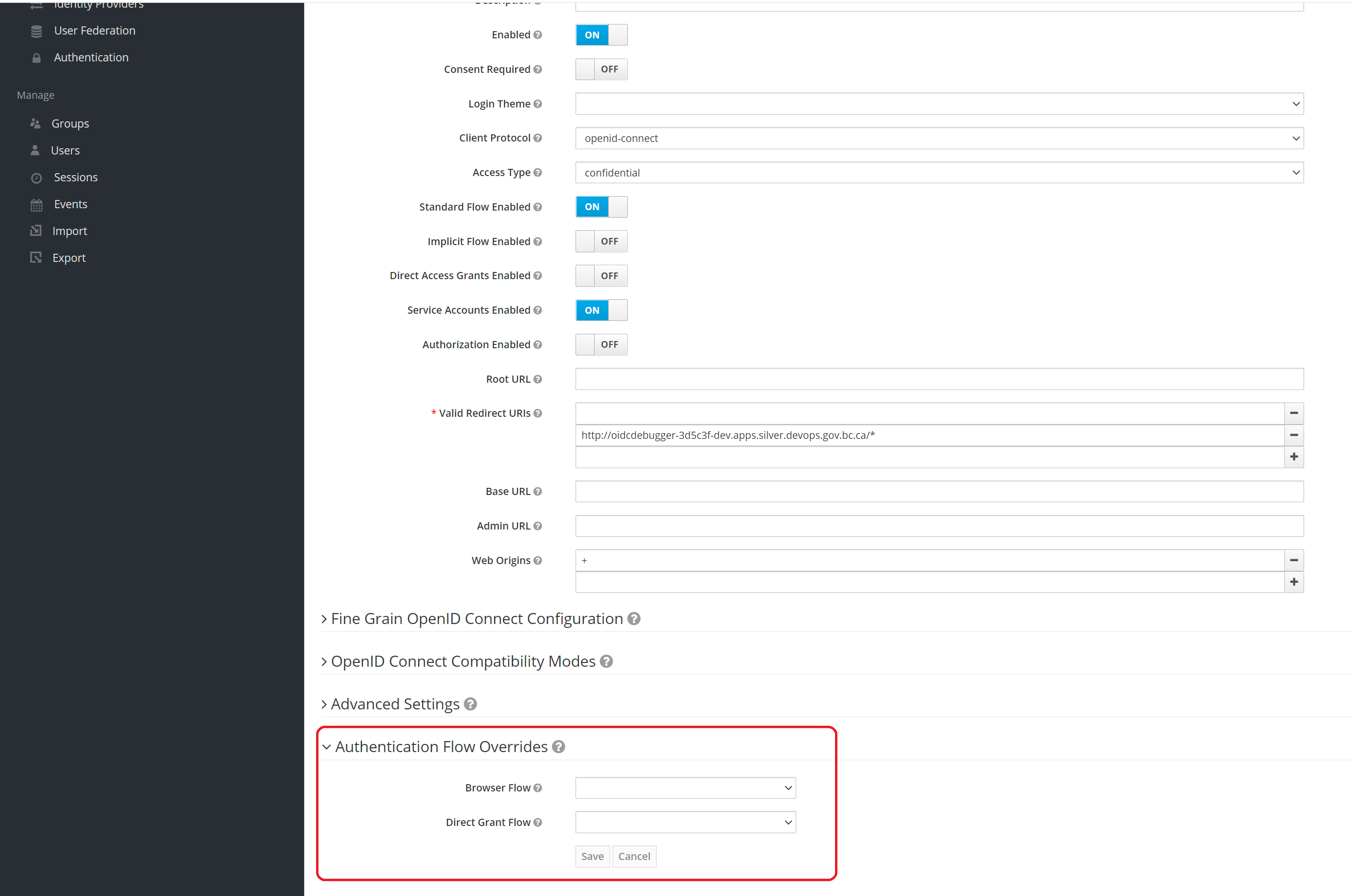
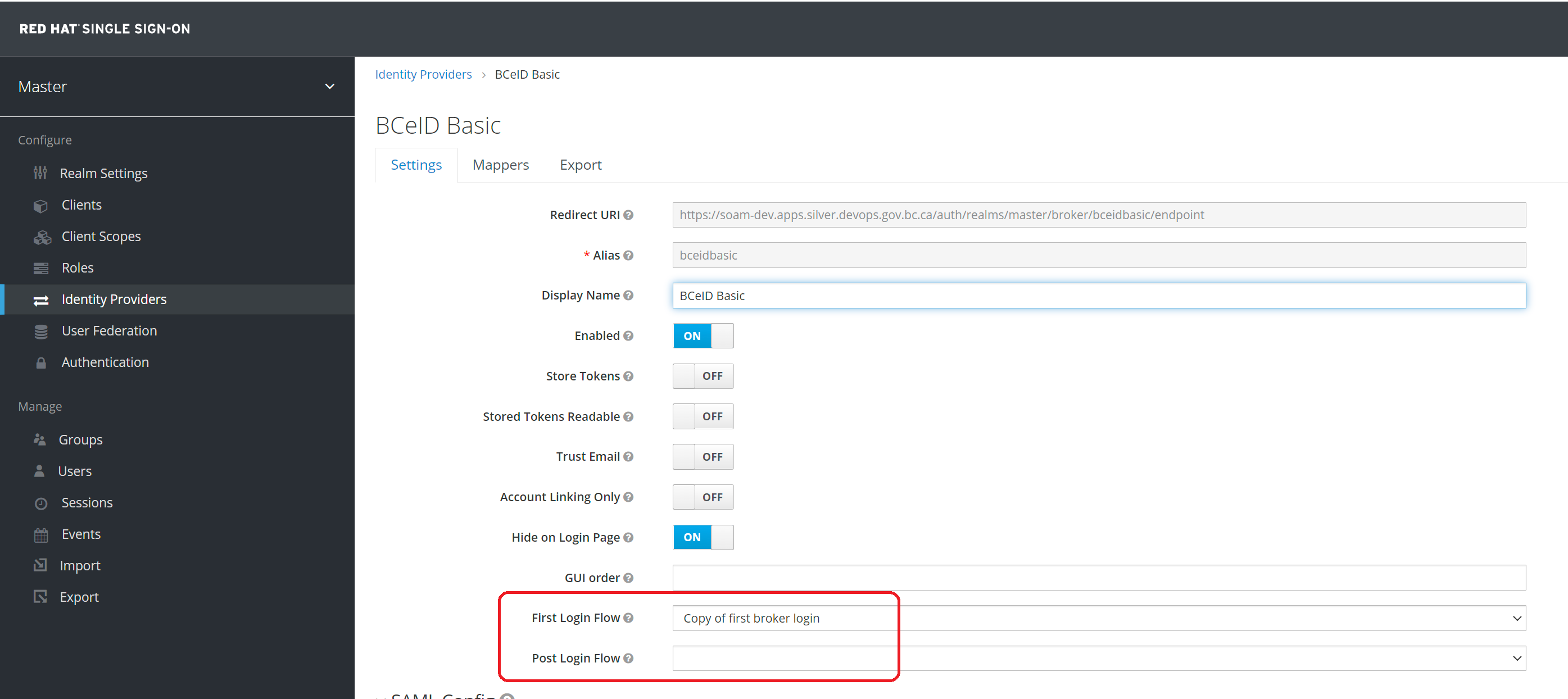
You can now modify the flow to your needs. Once the flow ready, you can apply it to either a client or an existing identity provider.
How to add another admin in a custom realm?
Please follow this guide to learn about adding more admins to your custom realm
What are the recommended practices for working in a custom realm?
When working with a custom realm, consider the below stated recommendations. Please contact the SSO team if you have any questions.
- Do not change your realm name
- Do not delete below resources:
- roles: realm-admin, realm-viewer
- groups: Realm Administrator, Realm Viewer
- clients: realm-admin-cli, realm-viewer-cli
- Ensure logs not are stored or only store for a short period of time.
- Validate the token at the application level by asserting signature and claims (iss, aud, sub and exp etc.) rather than using introspection endpoint
- Avoid user registration and local users except for testing purposes
- Only use introspection in use-cases where token revocation is required
How do I add client roles to an existing user in custom realm?
In order to add client roles, ensure your client has the role created and then navigate to the user's Role Mappings tab. In the Client Roles area, search for your client. Once the client is selected, you should have the ability to add the client role to your user
How to integrate BC Service Card login in my application?
If you are using standard realm, then you can simply login to CSS and select BC Services Card IDP when requesting new or updating your existing integration.
If you own a custom realm, your team will first need to follow the on-boarding process provided by IDIM and then follow this guide to complete the setup