Automating MFA (TOTP) in Tests
Overview
Some IDIR accounts require multi-factor authentication (MFA) using a time-based one-time password (TOTP) — the six-digit code normally produced by an authenticator app such as Microsoft Authenticator. This is a problem for automated end-to-end tests, which cannot read a code off a phone.
The solution is to register a TOTP authenticator method against the test account once, capture the secret key that Microsoft generates, and then have the test suite derive the current six-digit code from that secret at run time. As long as the test holds the same secret the authenticator app would have, it can compute a valid code on demand and complete the MFA challenge.
Library
We use otplib to generate TOTP codes. It implements the same algorithm Microsoft Authenticator uses, so the codes it produces are accepted by the MFA challenge.
A working example lives in the sso-requests Cypress suite:
The pattern is to store the secret key as a (secret) test environment variable and generate a fresh code whenever the test needs to answer an MFA prompt:
import { authenticator } from 'otplib';

// `secret` is the key copied from the Microsoft setup flow below,
// supplied to the test as an environment variable rather than hardcoded.
const token = authenticator.generate(secret);
The generated token is then typed into the MFA code field, exactly as a human would enter the code from their authenticator app.
Test account
You'll need to select an IDIR account to apply this to; most teams request a dedicated IDIR test account for this.
Getting the secret key from Microsoft
The flow to obtain the secret key from the Microsoft interface is a bit unusual — the secret is only exposed if you tell Microsoft you can't scan the QR code. From the My Sign-Ins area, follow these steps.
-
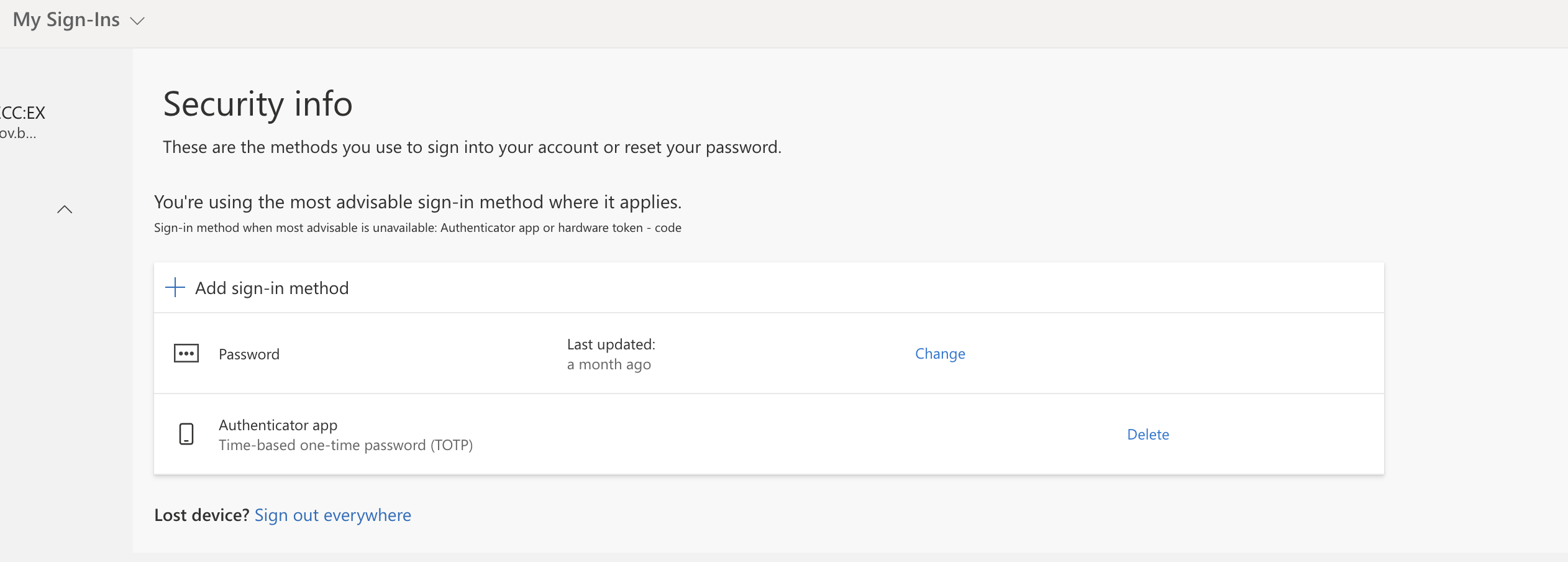
Click Add sign-in method.
-
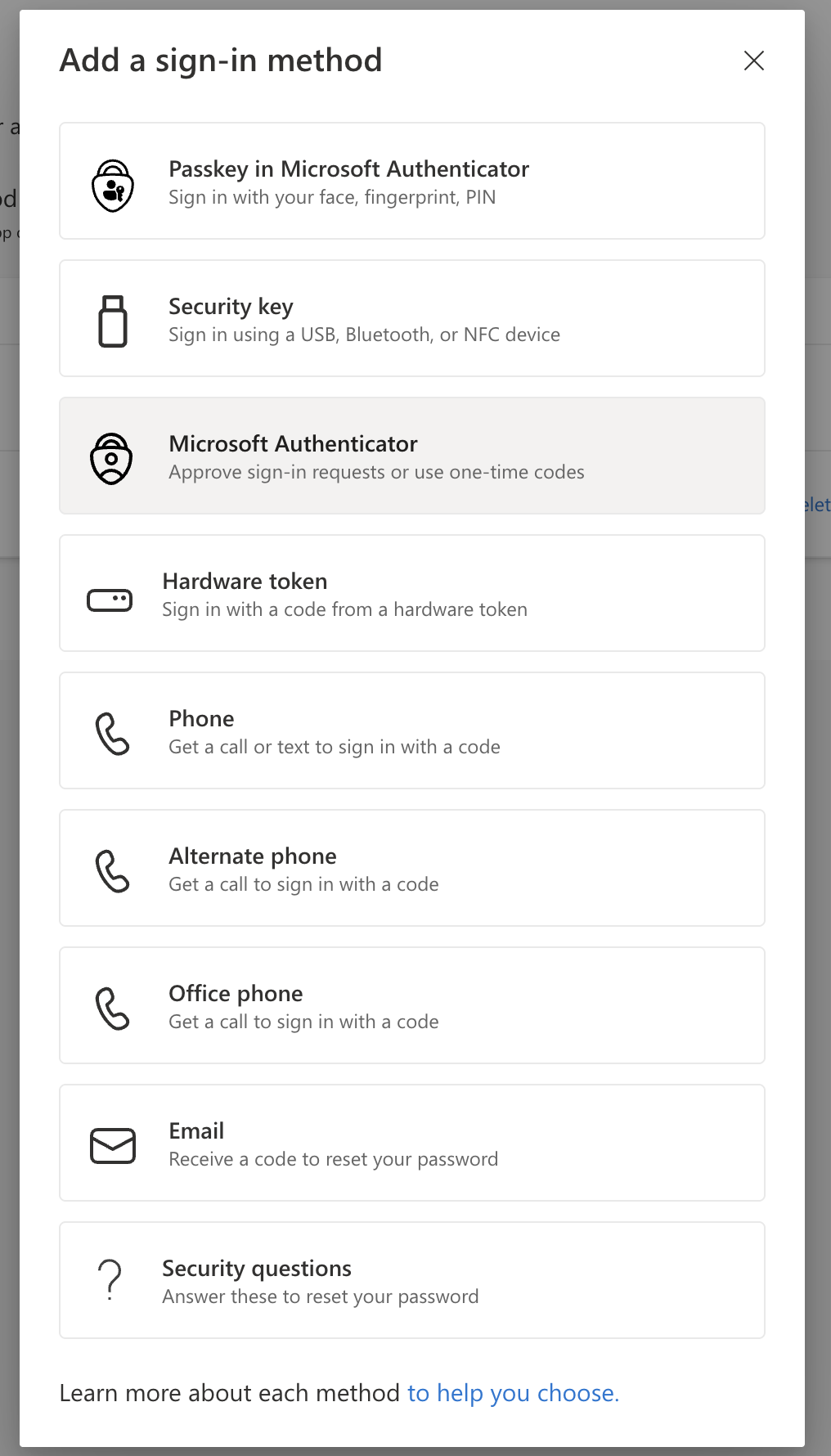
Choose Microsoft Authenticator.
-
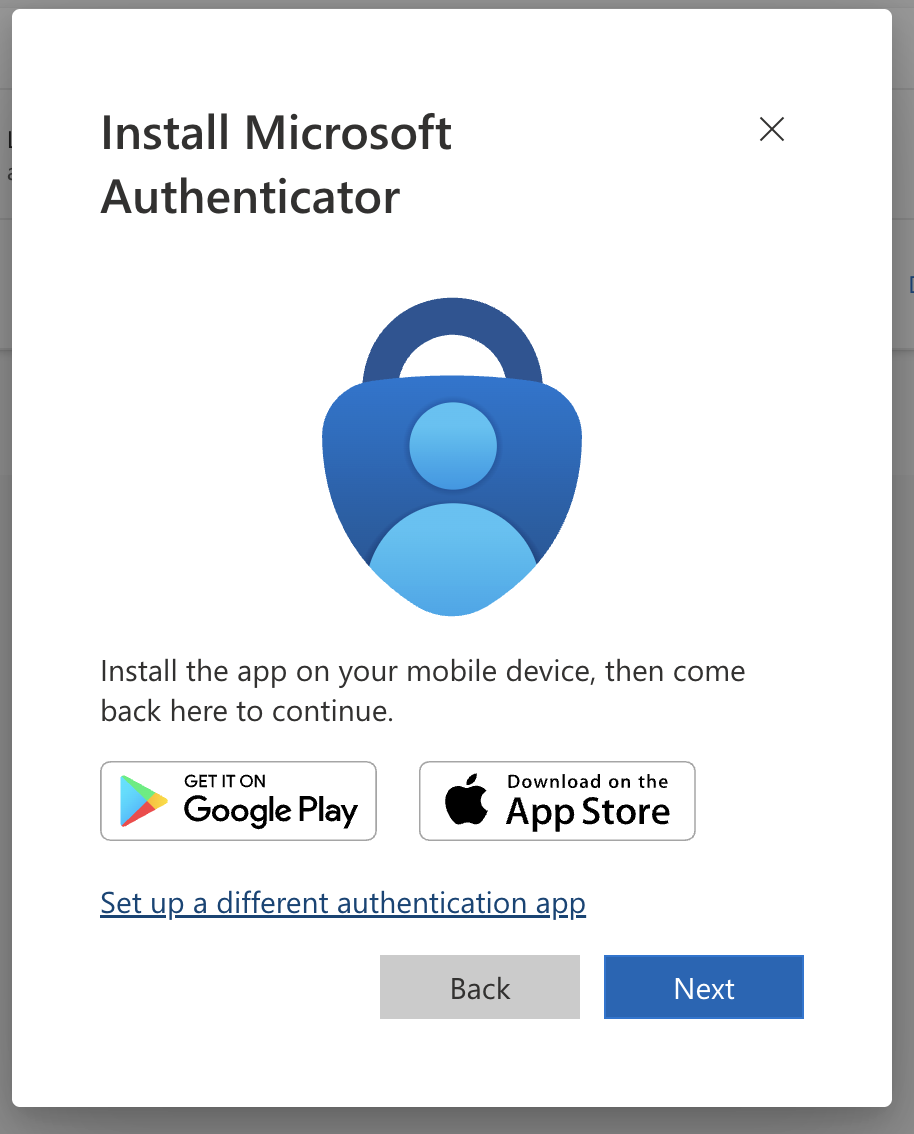
Select Set up a different authentication app.
-
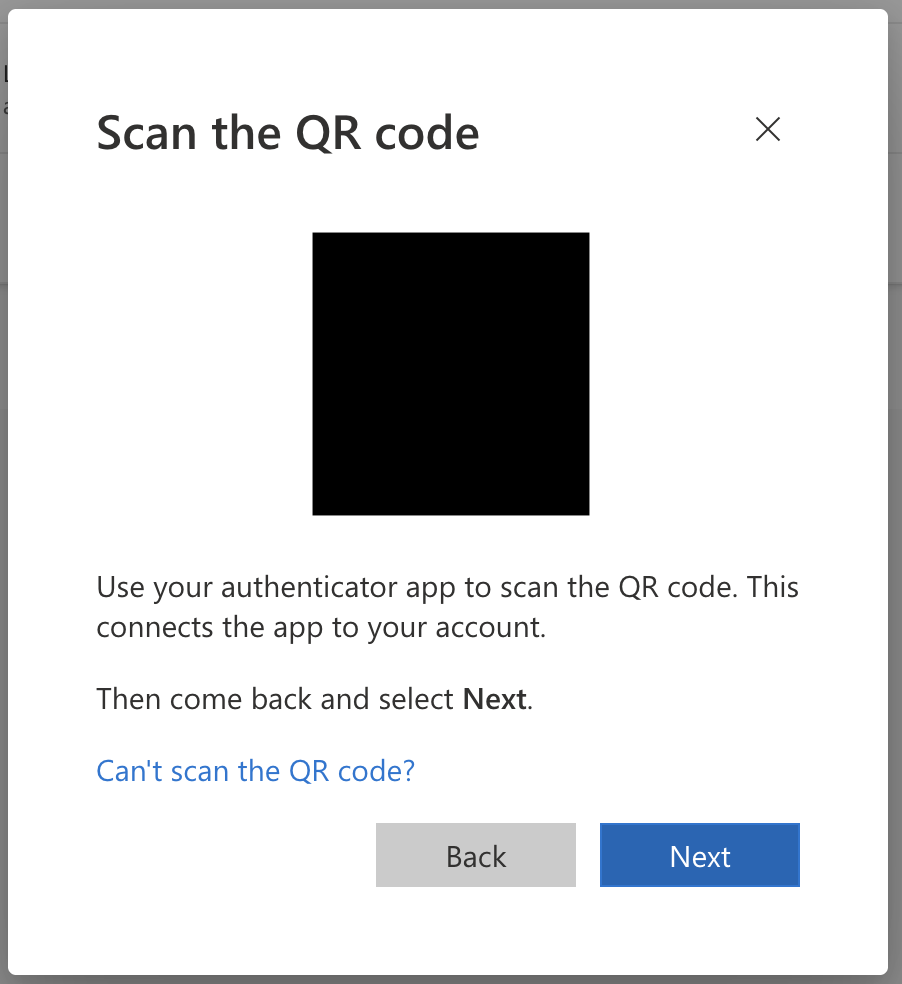
When prompted to scan the QR code, click Can't scan QR code?.
-
Copy the Secret key. This is the value you supply to
otplib(as a test environment variable) to generate TOTP codes.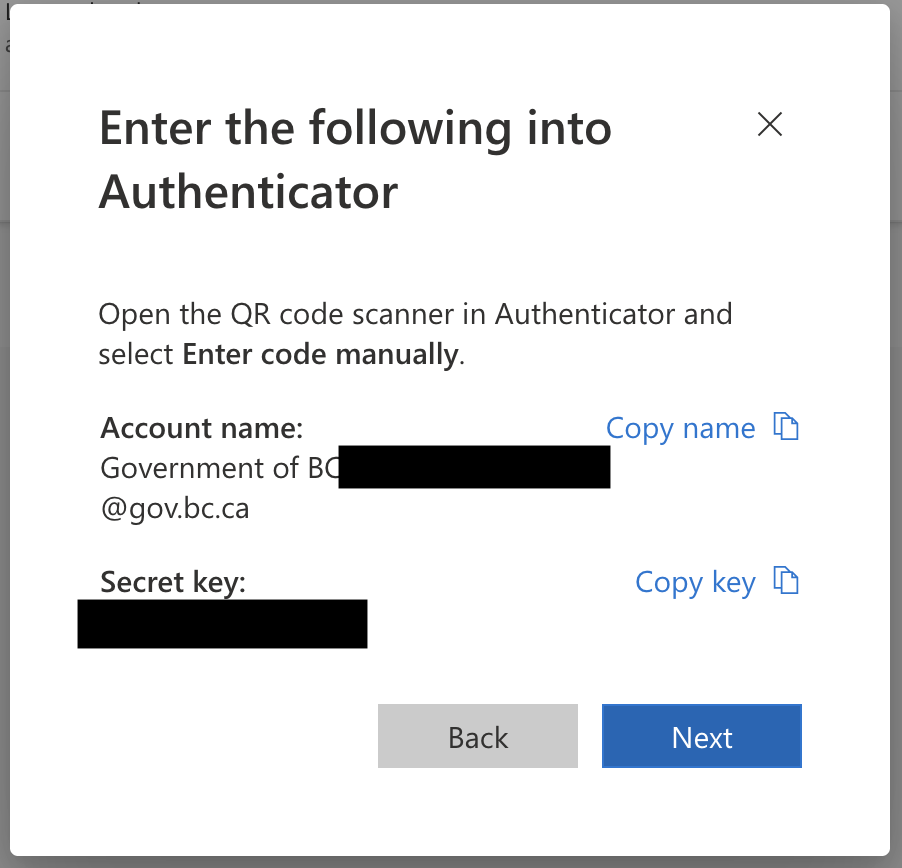
The secret key is equivalent to the second factor itself — anyone holding it can generate valid MFA codes for the account. Store it as a protected secret (for example, a masked CI/CD variable) and never commit it to source control.